

Purpose of the device
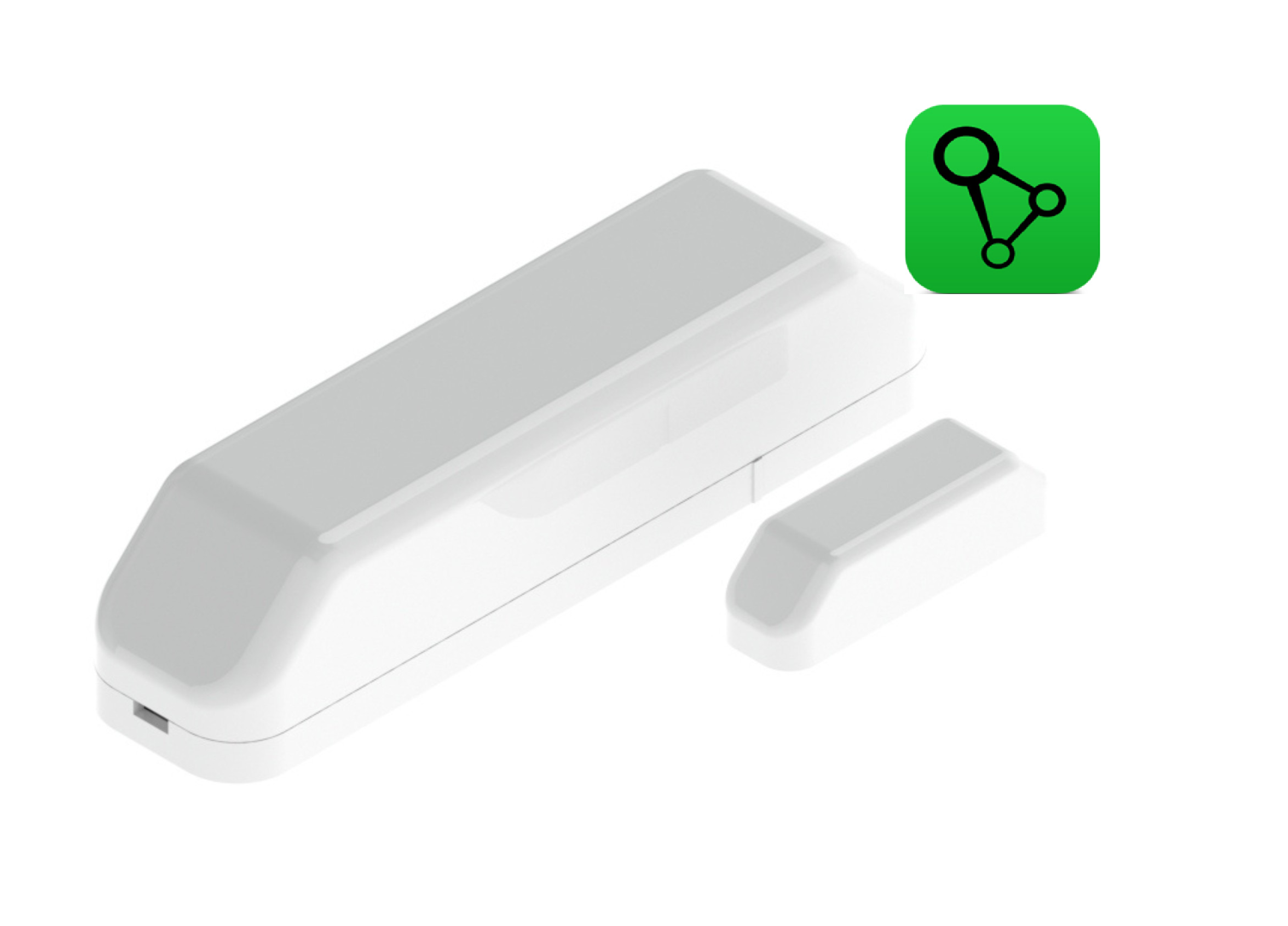
The AURATON Door/Window Sensor detects the opening and closing of windows or doors. It is designed to work with the SUPLA building automation system, enabling scenes and reactions, such as turning the heating on/off, activating an alarm, or sending PUSH notifications.
Package contents
- AURATON Door Window Sensor (main part with electronics)
- A magnet mounted on a window or door leaf
- ER14250 battery
- Self-adhesive tapes
- User manual
Device description
The AURATON Door Window Sensor consists of two elements:
-
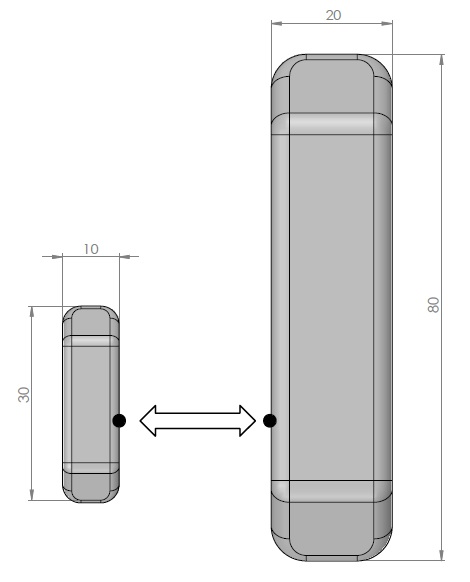
main module (larger element – dimensions: 80 × 20 mm),
-
magnet (smaller element – dimensions: 30 × 10 mm).
The elements are mounted on two movable parts of a window or door so that when closed, they are opposite each other, a short distance apart (a maximum of a few millimeters).
During installation, ensure that the projections on the housings (in the drawing – points marked with black dots) of both elements are at the same height and in the same plane, as far as possible.
The main module contains the electronics responsible for detecting the opening of a window or door, while the magnetic module contains a neodymium magnet, the presence or absence of which in the detection field determines the sensor's operation.
When opening a window/door, the magnet moves away from the main module, which detects the change in state and sends a signal to the system.
Device assembly
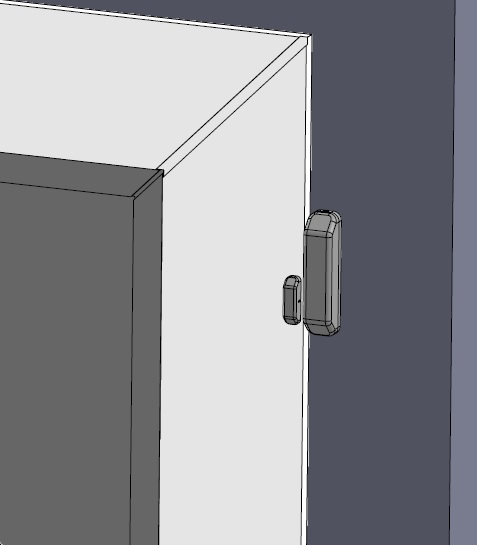
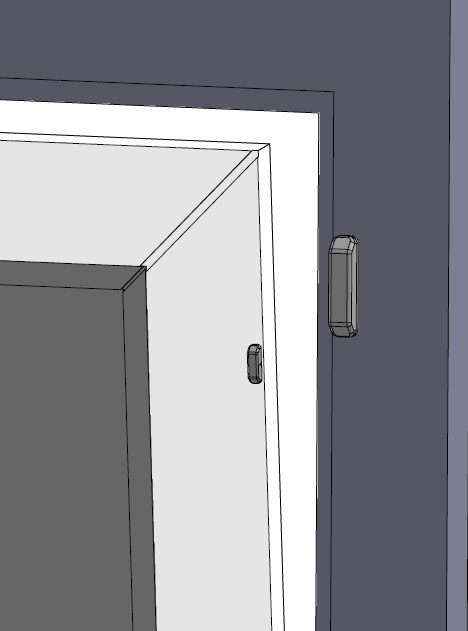
- Mount the main module on a stationary part of the window or door frame.
- Mount the magnet on the moving part (window or door leaf) so that when closed, the elements are a maximum of 10 mm apart.
- Both elements should be in the same plane and parallel to each other if possible.
- Install the battery and main module cover.
Pairing the AURATON Door Window Sensor with the AURATON Box gateway (SUPLA)
Putting the AURATON Door Window Sensor into pairing mode
- Remove the sensor cover using a small flat screwdriver as shown in the drawing.
- Install the battery supplied with the device (ER14250) with the correct polarity.
- To activate pairing, press the function button (2) as shown in the figure. Release the button when the LED lights up green.
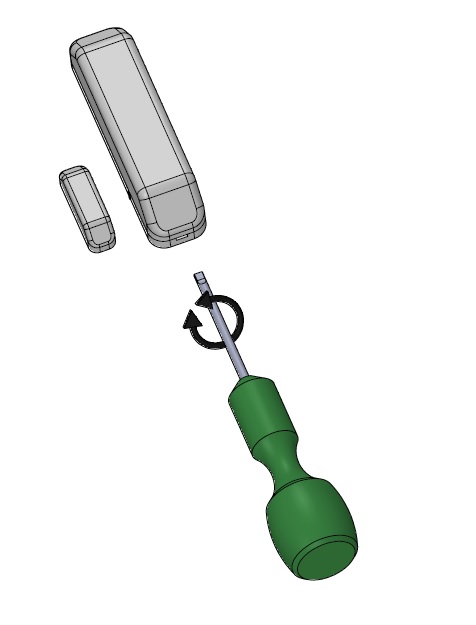
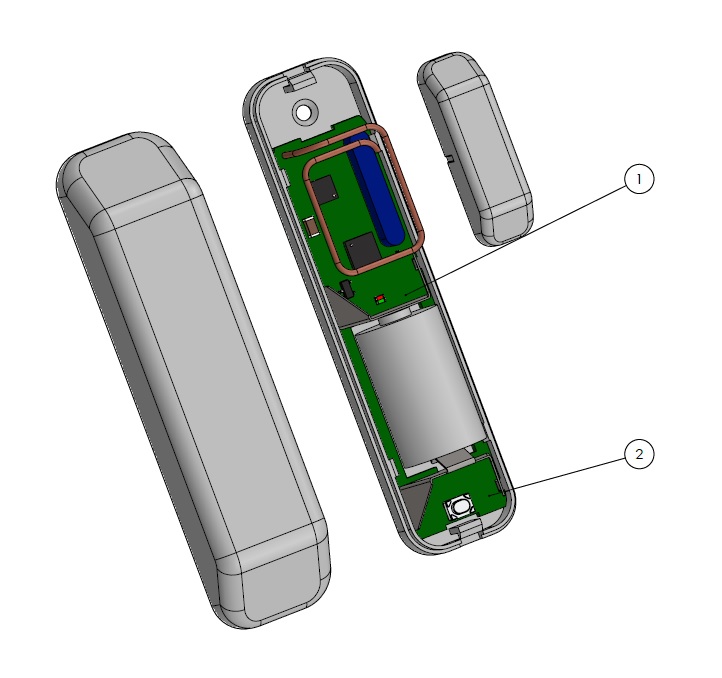 Figure description: 1. Operation indicator light. 2. Function button (pairing, factory reset).
Pairing both devices
Pairing the AURATON Door Window Sensor with the AURATON Box gateway can be done in two ways:- On the AURATON Box gateway, briefly press the right "Auraton" pairing button (
 ) – the LED under the button will start flashing. Then, put the AURATON Door Window Sensor into pairing mode.
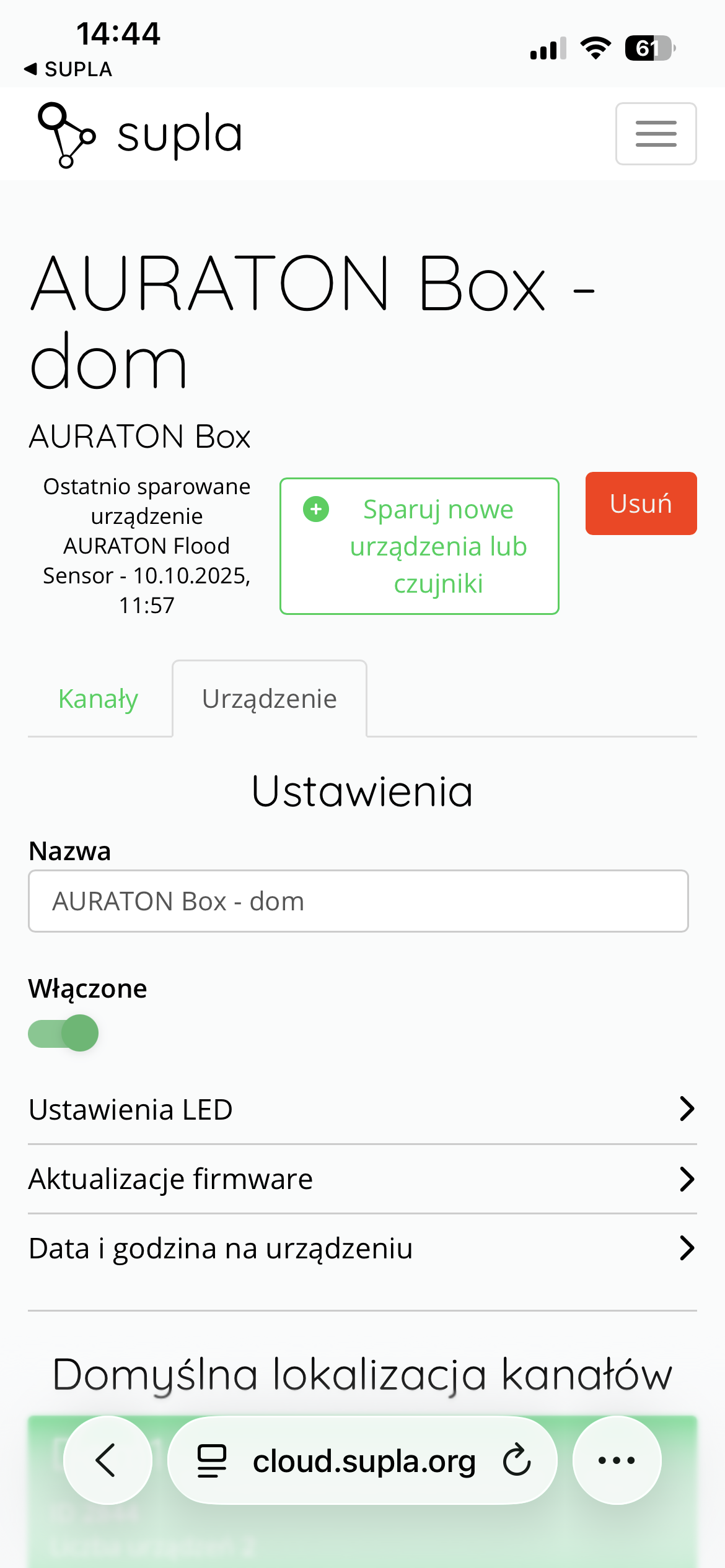
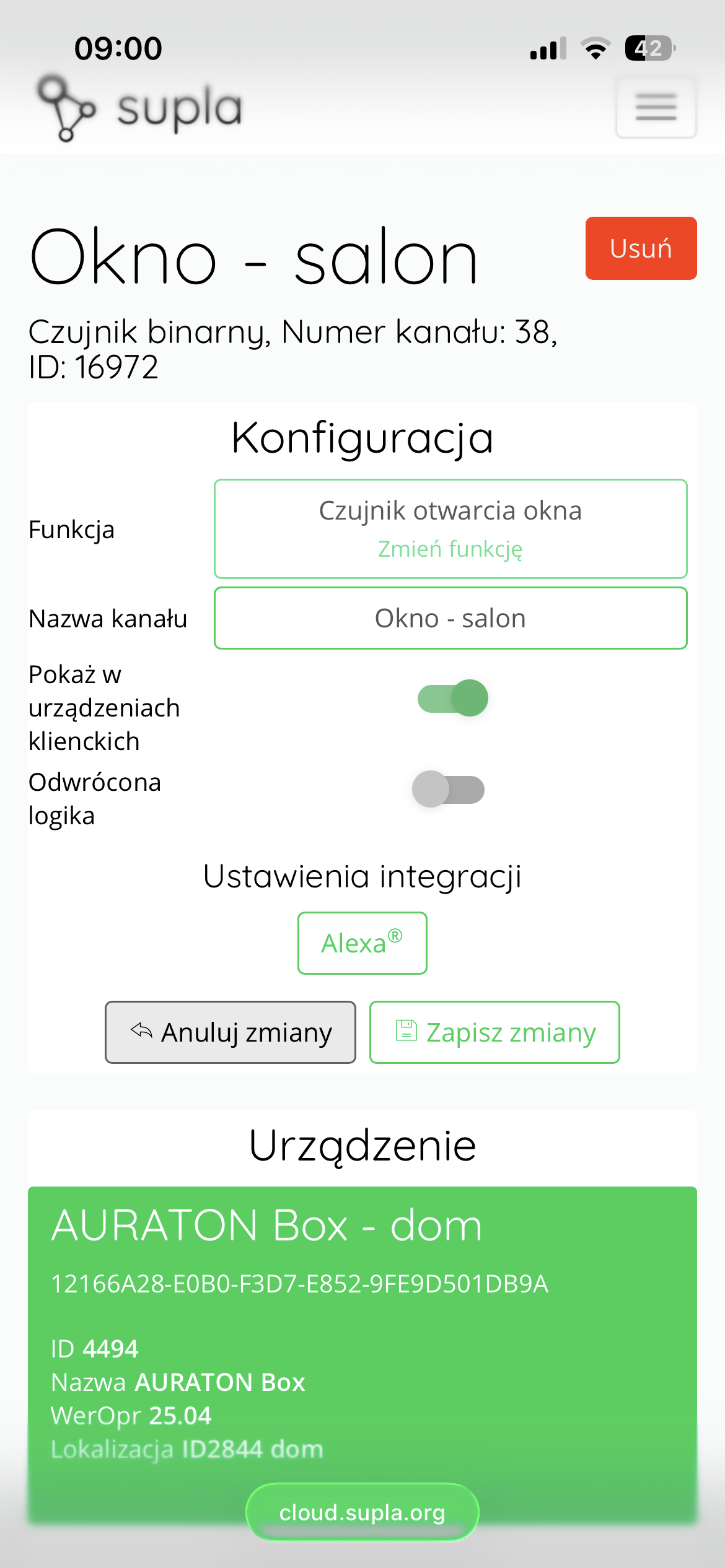
- In Supla Cloud, enter the AURATON Box gateway channel and press the "Pair new devices or sensors" button – the LED under the right "Auraton" pairing button will start flashing. Then, put the AURATON Door Window Sensor into pairing mode.
Sensor operation
- Opening a window or door changes the sensor status from "closed" to "open".
- The status is visible in the SUPLA application and may trigger specific reactions (e.g. turning off the heating).
- The sensor has a low battery detection function, which is signaled in the application with a battery icon.
Configuration of actions and dependencies
The configuration of dependencies (e.g. opening sensor -> temperature controller) is done using:
- Reactions tabs in the SUPLA application,
- Or ultimately in the channel configuration panel of the actuator in SUPLA Cloud ("Configuration" frame).
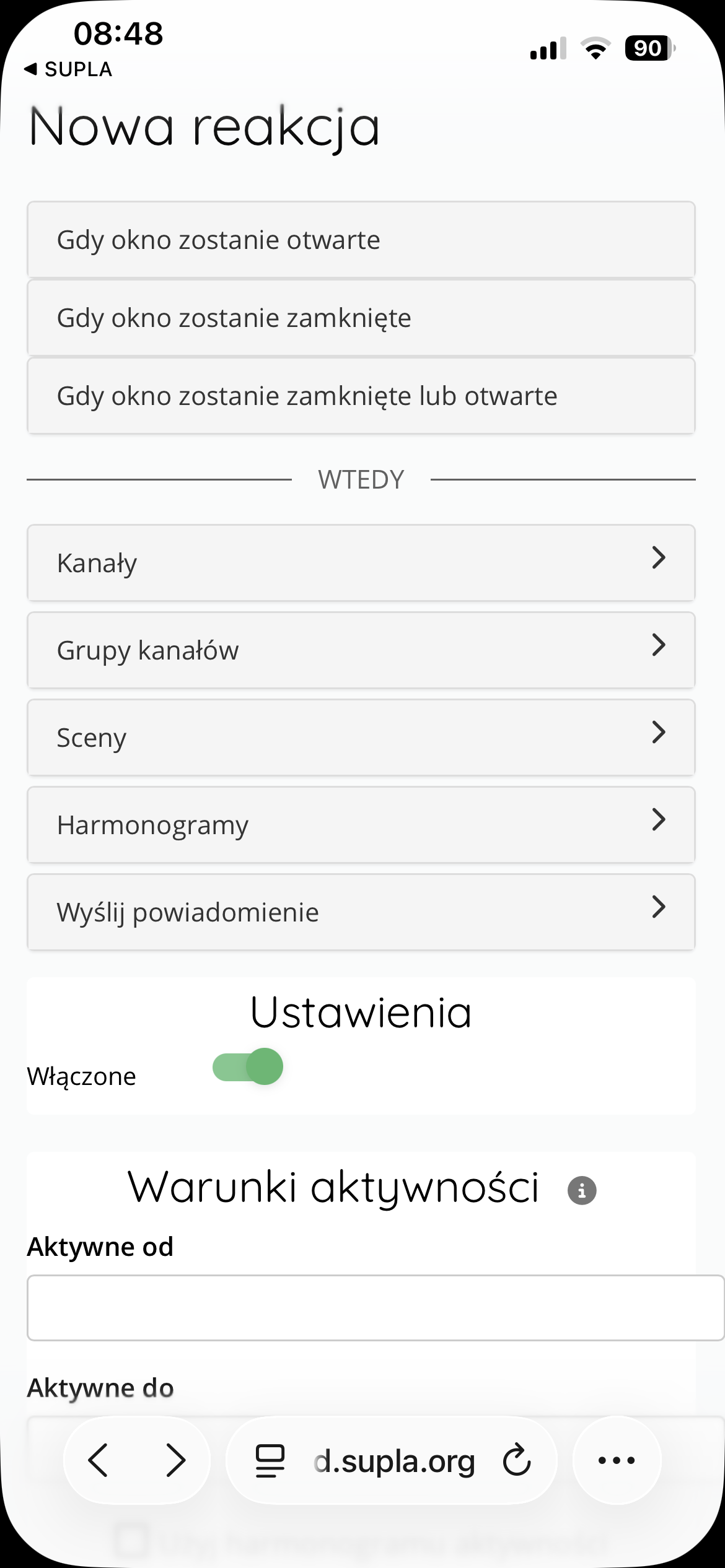
"Reaction" Configuration
Reaction configuration takes place in the SUPLA Cloud.
Important:
It is worth remembering that these reactions are carried out on the server side - which means that the AURATON Box gateway must have an active connection to the Internet.
To configure a reaction:- Enter the AURATON Door Window Sensor channel.
- Press the Create New Reaction .
- Select a trigger condition, such as When Window Opens or When Window Closes .
- In the "Then" section, select the action to be performed, e.g.:
- activating a specific channel (e.g. valve or light),
- activation of a specific scene ,
- sending a PUSH notification to the user.
- Save the configuration by clicking Save Changes .
- After opening the window, turn off the heating in the room,
- Turn on the light or send a notification when the door is opened.
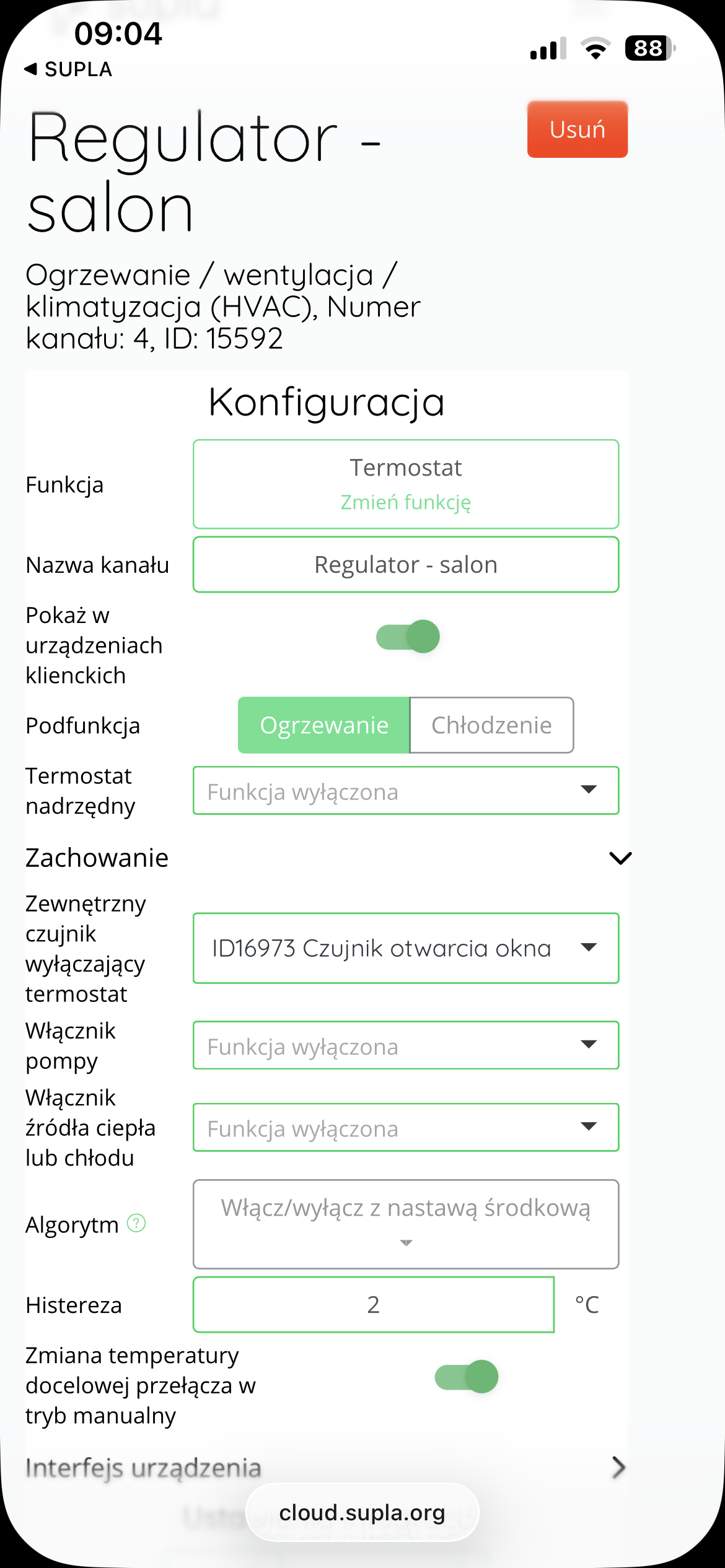
Configuration in the "Configuration" panel in the actuator channel
The AURATON Door/Window Sensor can work with an actuator (e.g., AURATON Heat Monitor), turning off the heating in a given room when it detects a window or door opening. This feature is configured in SUPLA Cloud:
-
Log in to your SUPLA Cloud .
-
Enter the channel of the actuator , e.g. AURATON Heat Monitor.
-
In the "Configuration" , click the "Behavior" .
-
In the "External sensor for turning off the thermostat" , select the AURATON Door Window Sensor that is responsible for turning off the thermostat.
-
Click "Save changes" to confirm the configuration.
Important:
This function operates locally – it does not require an internet connection, as the dependency is stored in the AURATON Box gateway's memory. This allows the system to respond even in the event of a temporary network outage.
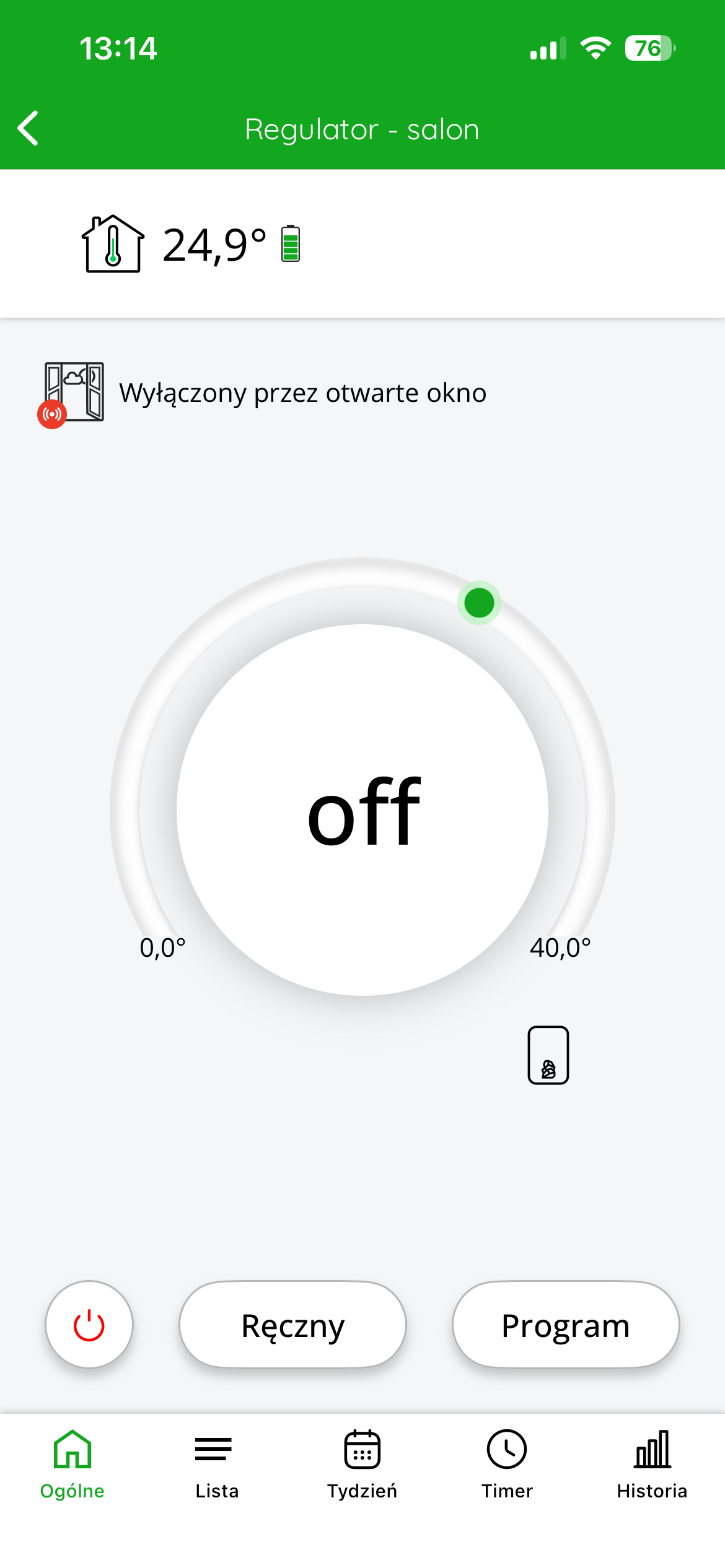
View in the SUPLA application after opening the window
After correctly configuring the cooperation of the AURATON Door Window Sensor with a thermostat (e.g. AURATON Heat Monitor), if an open window is detected, the system will automatically turn off the heating in the given room.
On the SUPLA application screen you will then see the message:
"Turned off by open window"
and an icon of an open window with a red signal.
The thermostat reading will change to "off" , which means that the device has stopped controlling the heating.
Once the window is closed, the thermostat will turn the heating back on in the room.
Thanks to this solution, you can effectively save thermal energy by minimizing losses occurring during airing of rooms.
Battery replacement
If the device's battery is discharged, replace it with a new ER14250 model. To do this, remove the AURATON Door Window Sensor's cover using a screwdriver, then replace the battery. Finally, reinstall the sensor cover.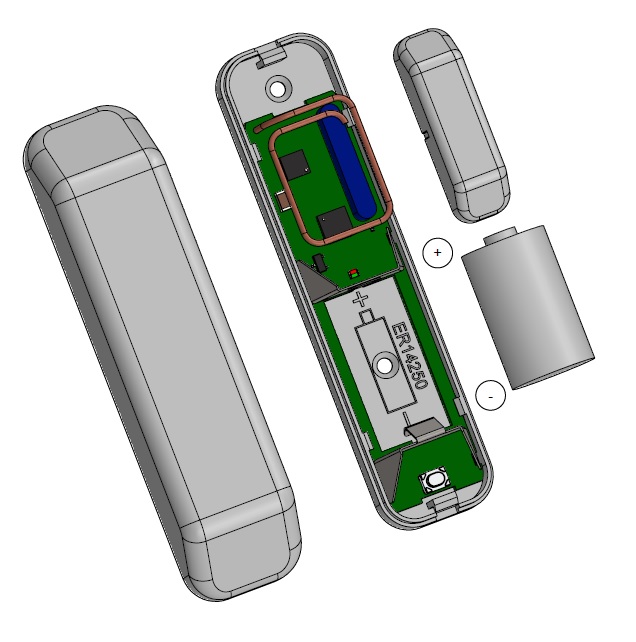
Factory reset
To restore factory settings, hold down the function button during normal operation (approx. 5 seconds) until the LED lights red. Release the button and press it again within 3 seconds to confirm the operation. All information on the device will be cleared. If the device was previously paired with the AURATON Box after restoring factory settings, it must be removed from the SUPLA Cloud.Function to restore the previous software
After completing the update, or if it fails, you can restore the previous software version. To restore the previous software version, hold the function button for at least 7 seconds until the LED turns orange, then release the function button. Then, while the LED remains lit, briefly press the same button to confirm the operation.Technical data
| Model: | Auraton Door Window Sensor |
| Operating temperature range: | 0°C – 45°C |
| Supply voltage: | 2.5V – 3.6V |
| Operating status check: | LED diode |
| Dimensions (mm): | main module: 80 x 20, magnet: 30×10 |
| Power supply: | ER 14250 – replaceable battery |
| Cooperation with the internet gateway | Auraton Box |
| Degree of protection: | IP20 |
| Radio frequency: | 868.150 MHz 868.450 MHz |
| Radio signal strength: | 14 dBm |
| Radio receiver category: | 2 |
| Range of action: | in a typical building, with standard wall construction – up to 30 m |
Disposal of the device
O
Devices are marked with a crossed-out waste bin symbol. In accordance with European Directive 2012/19/EU and the Waste Electrical and Electronic Equipment Act, this marking indicates that this equipment, at the end of its useful life, must not be disposed of with other household waste. Users are obligated to dispose of it at a collection point for used electrical and electronic equipment.