

User manual ver. 20201130
This document collects information on the safety, installation and use of the AURATON Pavo device.
Weekly wired temperature controller
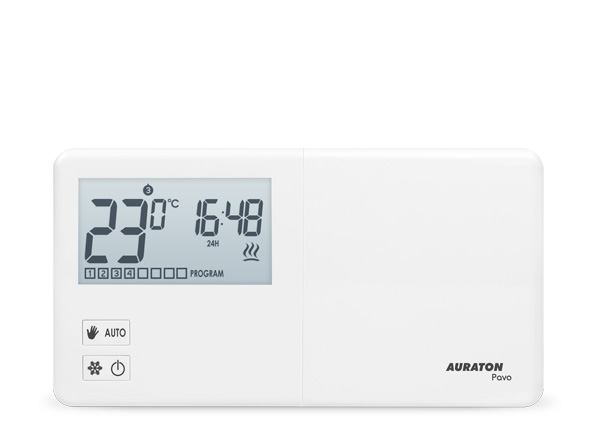
AURATON Pavo is a weekly, wired temperature controller designed to work with a gas or electric heating device.
| ST UV |
8 independent temperatures per day. AURATON Pavo allows you to set up to eight independent temperatures per day, with one-minute accuracy. Users can select time intervals for different temperatures depending on their needs. |
 |
Calibration of temperature readings (offset) Allows you to correct the temperature with a tolerance of ±3 °C. |
| LCD | Backlit LCD display Thanks to the backlit display, we can monitor the operation of the device even in a dimly lit room (3 backlight colors to choose from). |
Description of AURATON Pavo
weekly, wired temperature controller
On the front of the AURATON Pavo, on the right side, you'll find a sliding cover. Opening it reveals the buttons. The cover can be removed for battery replacement.
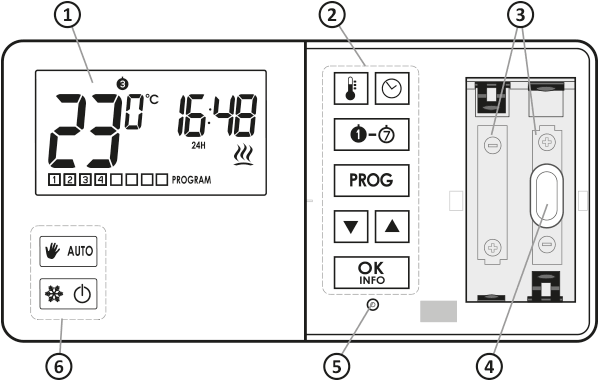
- LCD display
- Programming buttons
- Space for 2 batteries (AA LR6 1.5 V)
- Mounting hole
- RESET button
- Operating mode selection buttons
Display
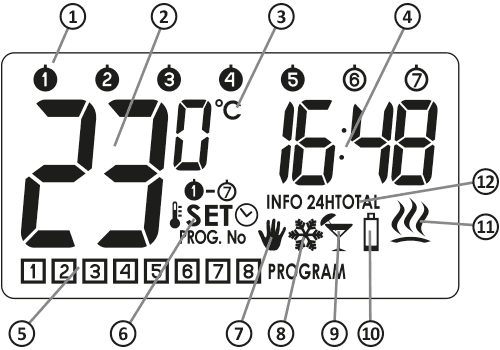
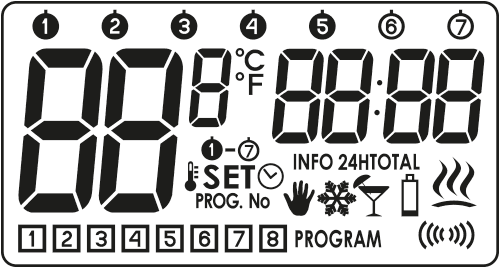
- Day of the week (8 ) – Indicates what day of the week it is. Each day is assigned a number.
- Temperature – In normal operation mode, AURATON Pavo displays the temperature of the room in which it is installed.
- Temperature Unit – Indicates whether the temperature is displayed in degrees Celsius (°C).
- Clock
The time is displayed in 24-hour format. - Program number (9 )
Shows the total number of stored user programs. - Setting mode indicator (v)
Writing v appears on the display when the user changes one of the following AURATON Pavo settings:
w – temperature y – an hour x – day of the week z – programme - Manual control mode indicator (V )
Indicates that the AURATON Pavo is operating in manual mode - Anti-freeze mode indicator (U )
Indicates that AURATON Pavo is operating in anti-freeze mode. - Holiday mode indicator (Z )
Indicates that the AURATON Pavo is operating in holiday mode.
(see chapters: "Temperature programming" and "Vacation mode"). - Battery drain (X)
This indicator appears when the battery voltage exceeds the minimum allowable level. The batteries should be replaced as soon as possible.
NOTE:
To maintain the programmed parameters, the battery replacement operation time should not exceed 30 seconds. - AURATON Pavo On Indicator (Y )
Segment informing about the device's operating status. Visible when the controlled device is turned on. - Information about the work of AURATON Pavo (s):
s – current program settings t – relay operating time over the last 24 hours u – total relay operation time from the moment AURATON Pavo is started NOTE:
"RESET" AURATON Pavo resets both time counters (t ,u )
Choosing the right location for AURATON Pavo
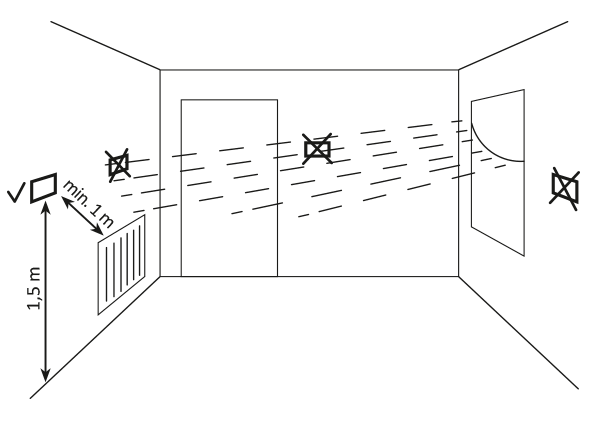
The proper operation of the AURATON Pavo is significantly affected by its location. Siting it in a location lacking air circulation or exposed to direct sunlight may result in improper temperature control. The AURATON Pavo should be installed on an interior wall (partition wall), in an environment with free air circulation. Avoid proximity to heat-emitting devices (television, radiator, refrigerator) or locations exposed to direct sunlight. Proper operation may be impaired by proximity to doors, which expose the AURATON Pavo to potential vibration.
Connecting the cables to AURATON Pavo
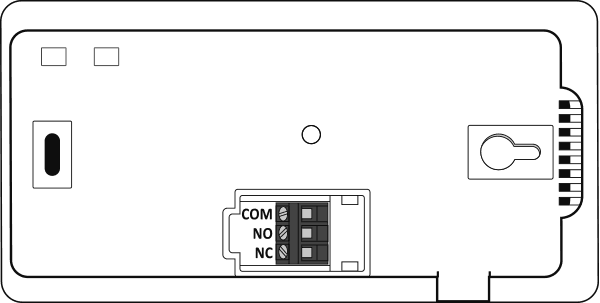
The wiring terminals are located on the rear panel of the AURATON Pavo. This is a typical single-pole, two-state relay. In most cases, the NC terminal is not used.
Battery replacement
X
If the low battery symbol ( ) appears on the display,X it means the battery voltage has dropped to the minimum allowable level. The batteries should be replaced as soon as possible.
To maintain the programmed parameters, the battery replacement operation time should not exceed 30 seconds.
We recommend alkaline batteries for powering AURATON controllers. Rechargeable batteries should not be used due to their low rated voltage.
Mounting the AURATON Pavo – weekly, wired temperature controller
To attach AURATON Pavo to the wall:
- Two 6 mm diameter holes should be drilled in the wall (mark the hole spacing using the template included in the instructions).
- Insert the expansion bolts (included).
- Tighten the left screw with 3 mm of clearance.
- Place the AURATON Pavo over the screw head and slide it to the right (note the keyhole-like opening on the rear housing of the AURATON Pavo).
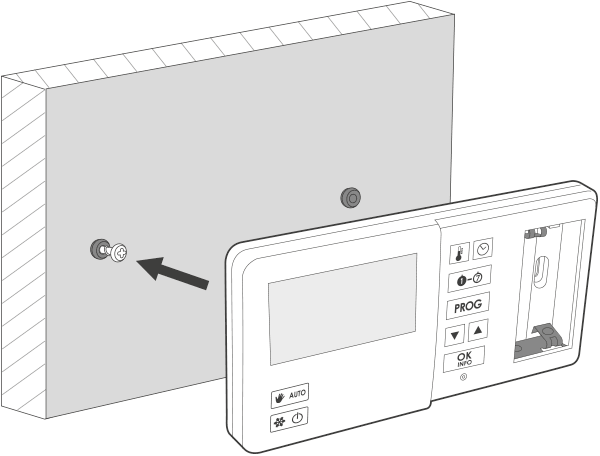
- Screw in the right screw so that it holds the installed AURATON Pavo securely.
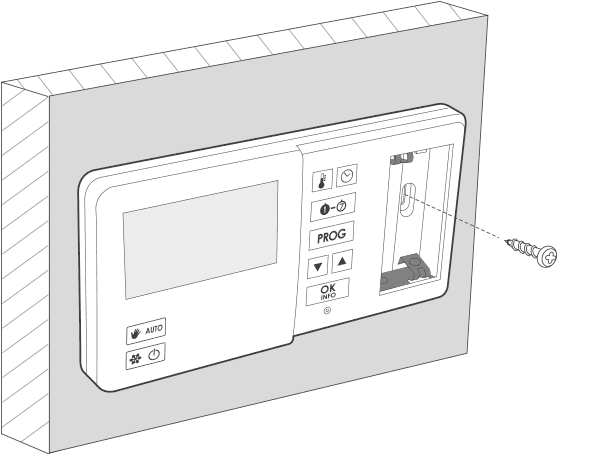
If the wall is wooden, there is no need to use wall plugs. Drill 2.7mm holes instead of 6mm and drive the screws directly into the wood.
First launch of AURATON Pavo
Once the batteries are properly inserted into the slots, the LCD will display all segments for one second (display test) followed by the software version number.
After a moment, the AURATON Pavo will automatically enter the time setting mode. A flashing element on the screen indicates it is currently in edit mode. Use the buttonsbc to set the desired time and confirm with the j .
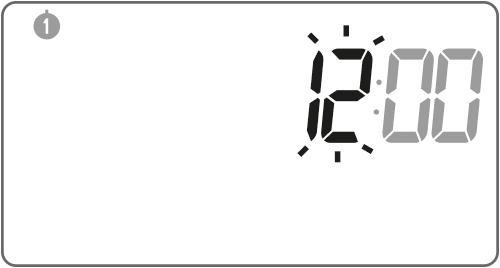
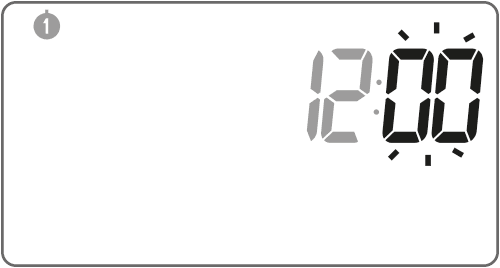
AURATON Pavo will proceed to the minute setting. Set the time again using the buttonsbc and confirm by pressing the j .
A flashing day of the week symbol appears in the upper left corner. Use the buttonsbc to set the desired day and confirm your selection with the j . The AURATON Pavo will then enter normal operating mode.
| 1– Monday 2 – Tuesday 3 – Wednesday 4 – Thursday 5 – Friday |
6– Saturday 7 – Sunday |
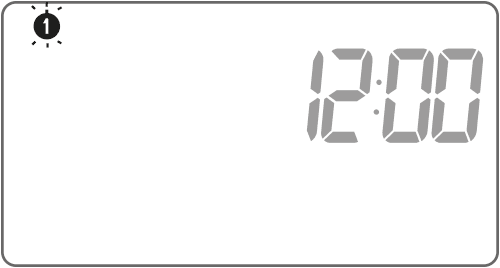
If no button is pressed for 60 seconds in the initial edit mode, the time will automatically default to 12:00 and Monday (1 ) as the day of the week.
When programming any other functions, not pressing any key for 10 seconds is equivalent to using the j .
Setting the clock
To set the clock you need to:
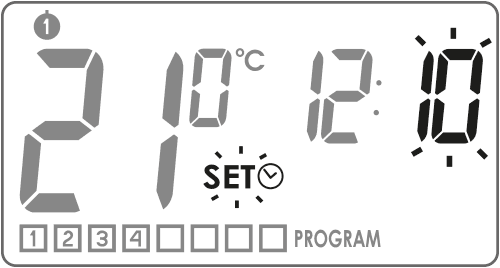
- m button until the icon appears on the display, informing that the controller has entered the time editing modey , and the hour segment starts flashing.
- the buttonsbc to set the correct time.
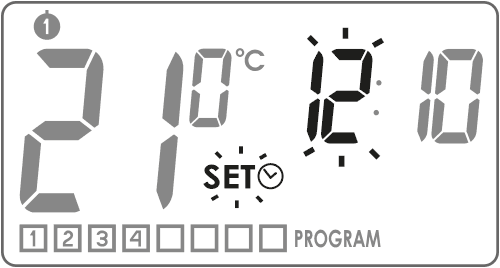
- Press the j or m . The minute segment will start flashing. Use the buttonsbc to set the minutes.
- Confirm everything with the j or m .
Selecting the day of the week
/
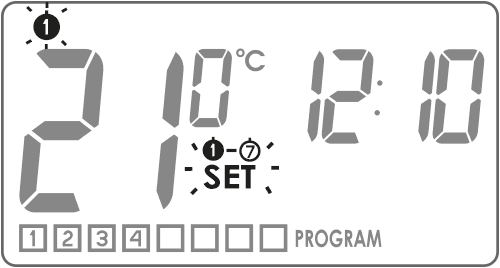
To set the day of the week:
- Hold down the button
/until the segment indicating the start of editing the day of the week appears on the display x, and the current icon indicating the day of the week will start flashing.
- the buttonsbc to select the appropriate day of the week.
- Confirm everything with the j or m .
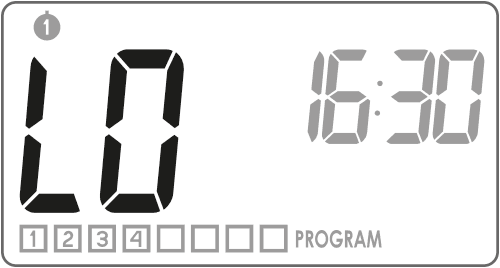
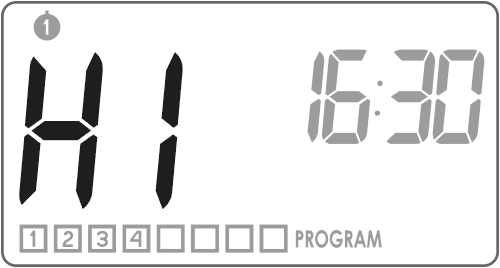
Temperature LO HI
"LO" will appear on the display
"HI" will appear on the display
Programming
The AURATON Pavo's memory allows you to store up to eight programs for weekdays, eight for Saturdays, and the same number for Sundays. This allows for exceptionally precise planning of the building's temperature depending on the time of day.
Factory programs (for modification)
weekdays
start time
8:30
15:00
23:00
20 °C
21 °C
19 °C
Saturdays
start time
23:00
19 °C
Sundays
start time
23:00
19 °C
To start programming you need to:
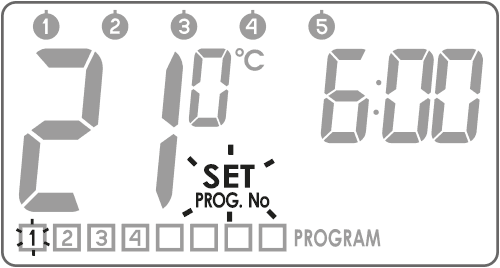
1. Selecting a program
Using the buttonsbc , we select the program number9 to which we assign the following parameters:
– the temperature to be controlled,
– the day of the week on which it is to operate,
– the start time.
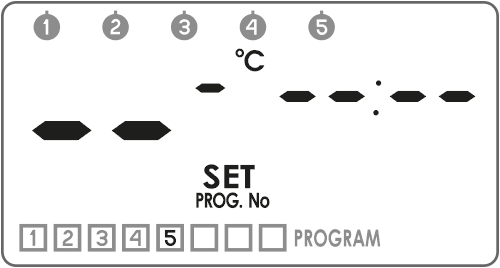
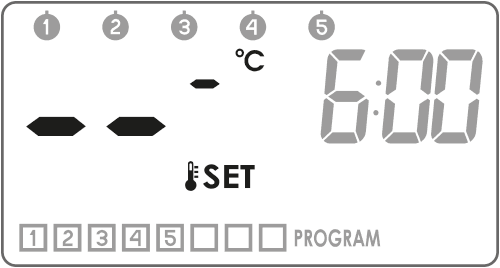
If the program has not yet been set, there are horizontal lines in the segments corresponding to the temperature and time.
2. Assigning a program for the day
| 12345 | – for weekdays |
| 6 | – Saturdays |
| 7 | – Sunday |
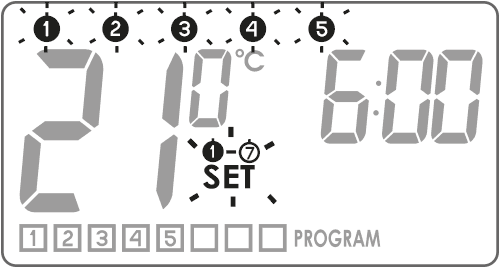

Confirm your selection with the j z and the program number being edited will flash again on the display
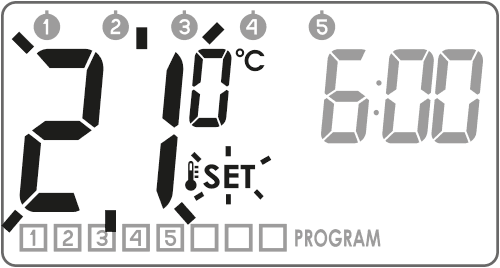
3. Assigning a temperature to the program
Confirm your selection by pressing the j z and the program number being edited will flash again on the display
4. Assigning a start time to the program
Confirm your selection with the j z and the program number being edited will begin flashing on the display again
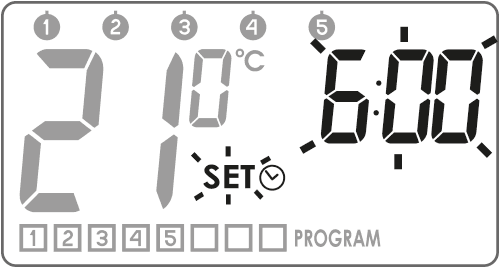
Repeat the procedure for the next programs. Confirm with the j .
Deleting the program
To delete a selected program, set the "dashes" in the temperature field.
Comments:
- Programs with the same numbers but assigned to different days may have completely different settings. For example, program 1 on Saturday might start at 8:00 a.m., while program 1 on Sunday might start at 10:00 a.m.
- Days from1 to5 (Monday to Friday) have the same programs.
- For the same day of the week, the next edited program should start at least one minute later than the previous one. Otherwise, AURATON Pavo will renumber the programs while maintaining the chronological order of temperature settings.
- For the selected day of the week, the period covered by temperature programming cannot exceed 24 hours - the last program can start no later than one minute before the first one.
- If you leave all programs inactive, AURATON Pavo remains turned off.
Manual, holiday and anti-freeze temperature programming
AURATON Pavo allows you to programmatically set 3 types of temperature:
- Manual temperature ( V ) – in the range from 5 to 30 °C
- Holiday temperature ( Z ) – in the range from 5 to 30 °C
- Anti-freeze temperature ( U ) – in the range from 4 to 10 °C
To set one of the above temperatures:
- Press the n and wait until the flashing temperature segment appearsw along with the symbol of the currently edited temperature type.
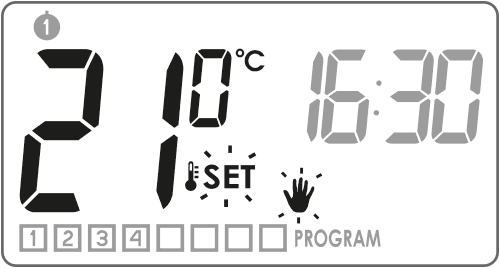
- Pressing the n will switch the edited temperature type.

- the buttonsbc to set the desired temperature value in the currently edited temperature type.
- After setting all the temperature types, confirm everything by pressing the j
| Vhandheld | 20 °C |
| Zvacation | 16 °C |
| Uantifreeze | 7 °C |
Manual control
V
If for any reason you want to interrupt the current program and extend the maintenance of the day temperature, you can do it manually.
- Press the p wiV segment to flash . The temperature field will enter edit mode, defaulting to the previously programmed temperature value. The buttonsbc will allow you to edit the value, and the j will confirm your selection.
- To turn off the manual control mode, press the p .
Vacation mode
Z
If you'd like to suspend programs for an extended period, you can use vacation mode. While this option is active, the AURATON Pavo only maintains the "vacation temperature" (see the "Temperature Programming" section).
The maximum duration of vacation mode is 6 days, 23 hours, and 59 minutes.
To activate vacation mode:
- p button for 3 seconds wandV will flash .
- the buttonsbc to set the time until which the holiday mode should last.
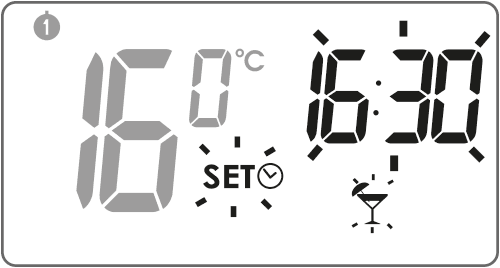
- By pressing the button
/we can set the date until which the vacation mode will last. A segment will start flashing on the screen x. Buttons bc we set the day on which the vacation mode should end.
- We confirm everything with the j .
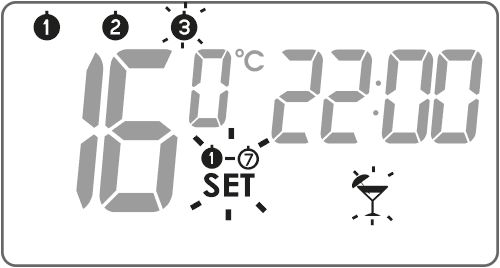
While vacation mode is in effect, the symbol will be displayed on the screenZ . To end vacation mode earlier, press the p .
Anti-freeze mode
U
The AURATON Pavo is equipped with an anti-freeze temperature setting. It can be adjusted from 4 to 10°C (factory setting: 7°C).
Anti-freeze mode is used during extended absences to prevent water from freezing in the heating system.
- To set the anti-freeze mode, simply press the q and the symbol will appear on the displayU .
- To turn off the anti-freeze mode, press the q or p .
Temporarily turning off the receiver
0Holding down the q for 5 seconds turns off the relay in the AURATON Fornax receiver. A flashing segment appears on the display for 10 secondss , along with all the set parameters of the currently running program: day of the week, temperature, and end time.
Pressing the j returns the AURATON Pavo to normal operation.
Heating device operating time counter
Holding the j for 3 seconds activates the functiont that counts the heating device's operating time over the last 24 hours. Pressing the j displays the segment corresponding to the functionu that counts the total number of days the heating device has been operating.
This time may not be the same as the actual operating time of the heating device due to the presence of e.g. internal thermostats in heating devices.
To return the AURATON Pavo to normal operation mode, press the j .
Resetting the overall balance of the heating device's operating days is possible in this modeu after pressing j for 5 seconds.
"RESET" the AURATON Pavo will reset both operating time counters.
RESET AURATON Pavo
Pressing the RESET (. ) button will clear the time and day and restart the AURATON Pavo.
MASTER RESET AURATON Pavo
MASTER RESET restores factory settings. This is performed by pressing the j and RESET ( ) .
All user programs are deleted!
Configuration settings
Configuration settings are made sequentially:
backlight

hysteresis change
delay change
offset change
clock calibration
To enter the configuration settings change mode, hold down theb andc for 5 seconds until the display backlight starts flashing.
Changing the backlight color
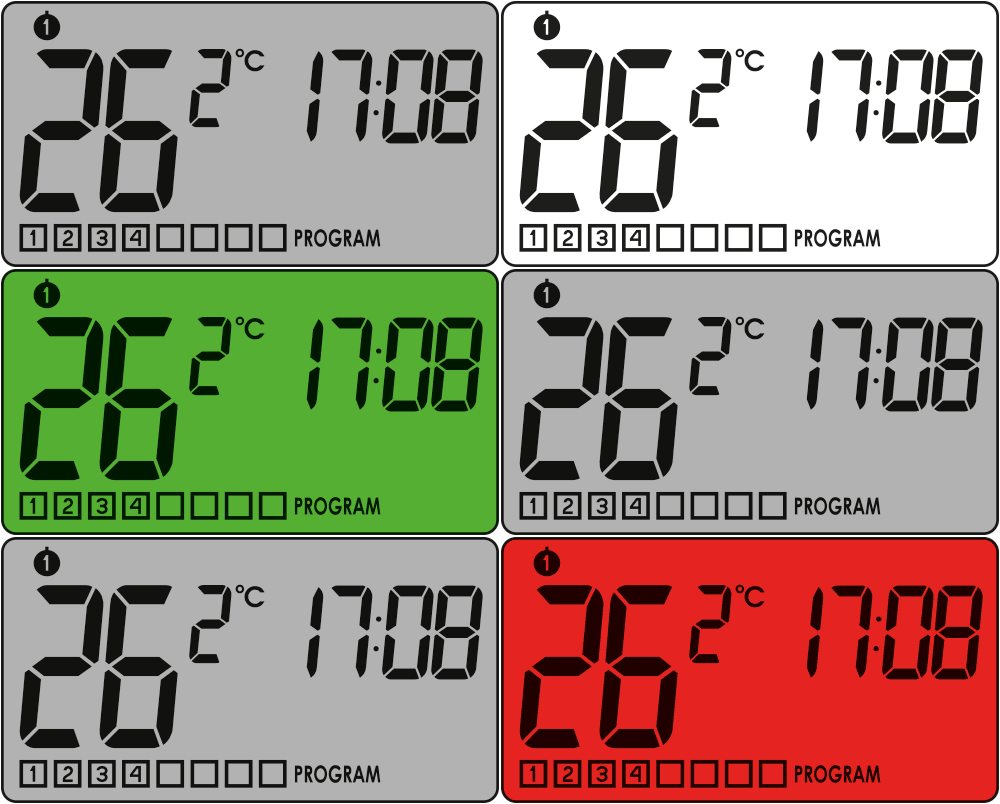
Hysteresis change
Hysteresis is designed to prevent the actuator from switching on too frequently due to minor temperature fluctuations.
For example, for HI 2 , with the temperature set to 20 °C, switching on will occur at 19.8 °C and switching off at 20.2 °C. For HI 4 , with the temperature set to 20 °C, switching on will occur at 19.6 °C and switching off at 20.4 °C.
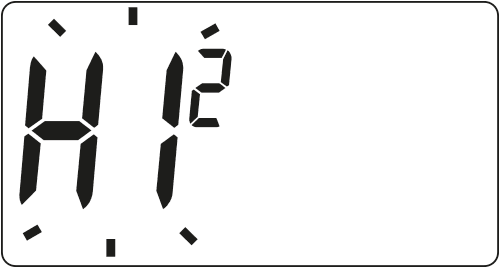
The hysteresis change mode is indicated by the flashing HI . Use the buttonsbc to set the desired hysteresis.
HI 2 – ±0.2 °C (factory setting),
HI 4 – ±0.4 °C,
HI P – PWM operating mode (section “PWM operating mode”).
Confirm the selection by pressing the j . AURATON Pavo will move on to changing the next parameter.
Change delay
The delay prevents the actuator from being switched on too frequently, e.g. due to a momentary draft (e.g. caused by opening a window).
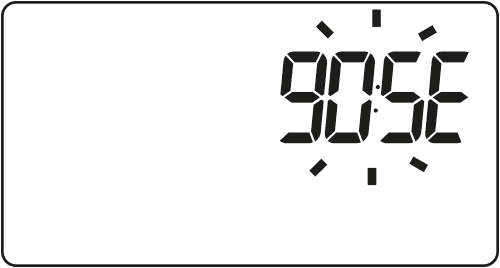
The delay change mode is indicated by the flashing 90:SE
Use the buttonsbc to turn the delay on or off.
90:SE – 90 s delay (factory setting)
0:SE – no delay
Confirm the selection with the buttoni . AURATON Pavo will move on to changing the next parameter.
Offset change
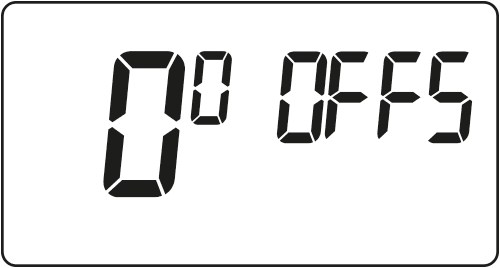
Offset allows you to calibrate temperature readings with a tolerance of ±3°C. For example, the AURATON Pavo indicates that the room temperature is 23°C, while a standard room thermometer hanging next to it reads 24°C. By changing the offset by +1 degree, the AURATON Pavo will display the same temperature as the room thermometer.
Offset change mode is indicated by the flashing OFFS inscription. Use the buttonsbc to set the desired value in the range from -3.0 to 3.0 (factory setting – 0.0). Confirm your selection by pressing the j . AURATON Pavo will move on to changing the next parameter.
If you do not press any button for 10 seconds while changing the configuration settings, AURATON Pavo will return to normal operating mode.
The first press of any function button always turns on the backlight, and only the next press activates the button function.
Clock calibration
This function is used to correct the clock readings if they deviate. If you notice the clock is malfunctioning over the course of a week, determine the error rate. This value should be entered in the AURATON Pavo in seconds. Confirm your selection by pressing the OK button. The AURATON Pavo returns to normal operation.
Example 1:
After a week of operation, the AURATON Pavo displays the time faster by 1 minute and 20 seconds (60 + 20 = 80). In this case, slow down the clock by setting C -80.
Example 2:
After a week of operation, the AURATON Pavo shows the time slowed down by 2 minutes (2 x 60 = 120). In this case, the clock should be advanced by setting C 120.
For the clock calibration function to work correctly, the number of seconds must be determined after a week of operation of the AURATON Pavo (7 days = number of seconds to be added or subtracted, maximum 294 seconds).
If you do not press any button for 10 seconds while changing the configuration settings, AURATON Pavo will return to normal operating mode.
PWM operating mode
(Pulse-Width Modulation)
By changing the hysteresis settings (see the "Configuration Settings" section), you can enable PWM operation. In this mode, the AURATON Pavo periodically switches on the heating device to minimize temperature fluctuations. The AURATON Pavo checks the temperature rise and fall times.
Knowing these values, AURATON Pavo turns the heating device on and off in cycles to keep the temperature as close to the set point as possible.
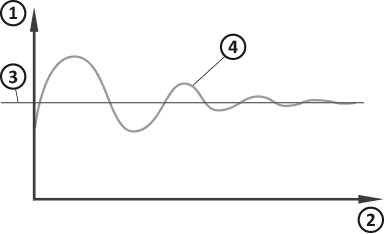
- Temperature
- Time
- Set temperature
- Room temperature
In PWM mode, the AURATON Pavo may turn on the heating device even if the room temperature is higher than the setpoint temperature. This is due to the PWM algorithm, which aims to maintain the setpoint temperature and anticipate the heating system's behavior.
AURATON Pavo connection diagram
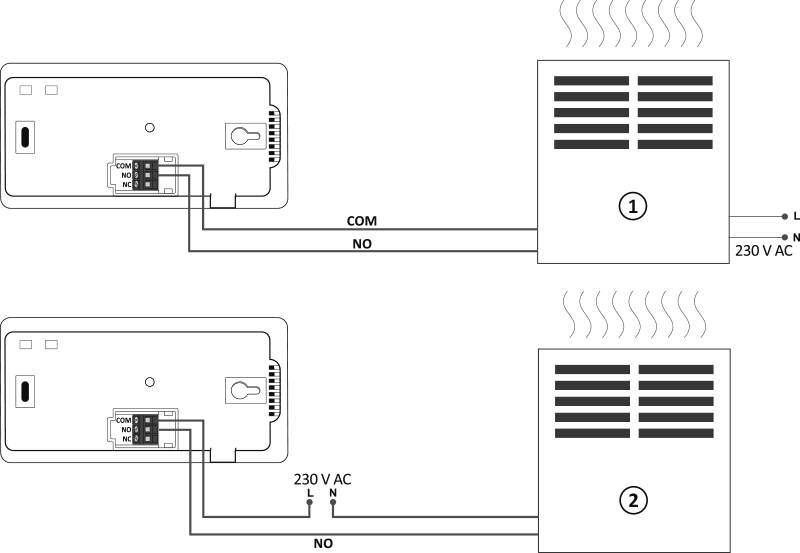
- A heating device , e.g. a gas furnace
- Electric heating device (MAX 230 V AC, 8 A)
Q
When installing the AURATON Pavo, the power supply should be turned off. It is recommended that the receiver be installed by a specialist.
The building's permanent installation must include a circuit breaker and overcurrent protection.
Cleaning and maintenance
- Clean the exterior of the device with a dry cloth. Do not use solvents (such as benzene, thinner, or alcohol).
- Do not touch the device with wet hands. This may result in electric shock or serious damage to the device.
- Do not expose the device to excessive smoke or dust.
- Do not touch the screen with a sharp object.
- Avoid contact of the device with liquids or moisture.
Technical data
| Power supply: | 2 x AA (2 x 1.5 V), alkaline |
| Operating temperature range: | 0 – 45 °C |
| Operating status indication: | LCD display |
| Number of temperature levels: | 8 + holiday, manual and anti-freeze |
| Antifreeze temperature: | 4 – 10 °C |
| Temperature control range: | 5 – 30 °C (measurement error +/- 1 °C) |
| Hysteresis: | ±0.2 °C/±0.4 °C/PWM |
| Relay load capacity: | Max 250V AC, max 8A |
| Duty cycle: | Weekly, programmable |
| Number of programs: | 8 for weekdays, 8 for Saturday and 8 for Sunday |
| Degree of protection: | IP20 |
| Dimensions [mm]: | 155 x 80 x 25 |
Disposal of the device
O
Devices are marked with a crossed-out waste bin symbol. In accordance with European Directive 2012/19/EU and the Waste Electrical and Electronic Equipment Act, this marking indicates that this equipment, after its useful life, must not be disposed of with other household waste.
Users are obligated to dispose of it at a collection point for used electrical and electronic equipment.
Manufacturer's address and contact details:
LARS, ul. Świerkowa 14
64-320 Niepruszewo
www.auraton.pl