

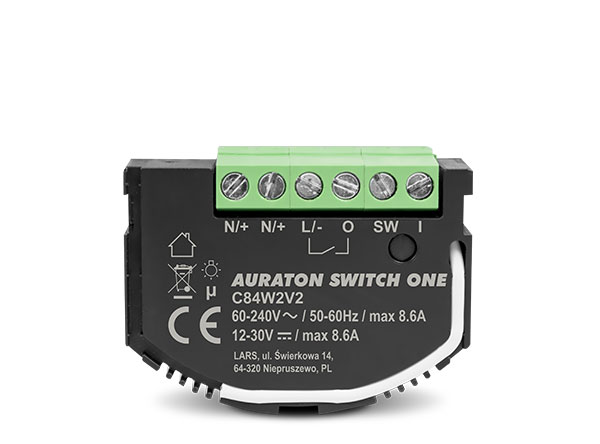
User manual ver. 20210530
This document collects information on the safety, installation and use of the AURATON Switch ONE device.
Safety information
P
Installation should be performed by qualified electricians, in accordance with national installation regulations. Before installing the device, please read this manual thoroughly. For safety reasons, do not install the device without a housing or with a damaged housing, as this poses a risk of electric shock.
Q
CAUTION!
Before starting installation, make sure that no dangerous voltage is present on the connecting cables.
Device description
The AURATON Switch ONE is used to control electrical devices using a button connected to the SW and I (Fig. 1.) or remotely. The device supports both bistable and monostable (bell) switches, with no additional settings required. Changing the switch's status turns the voltage on or off at the O , as shown in the diagram in Fig. 1. The device measures the mains voltage and receiver parameters such as active power and total energy consumption. The device is equipped with a LED indicating the current operating status and a button for adding or removing devices from the AURATON Smart system (Fig. 1.). The AURATON Switch ONE module is intended for indoor use only, for installation in junction boxes.
Fig. 1. Device diagram
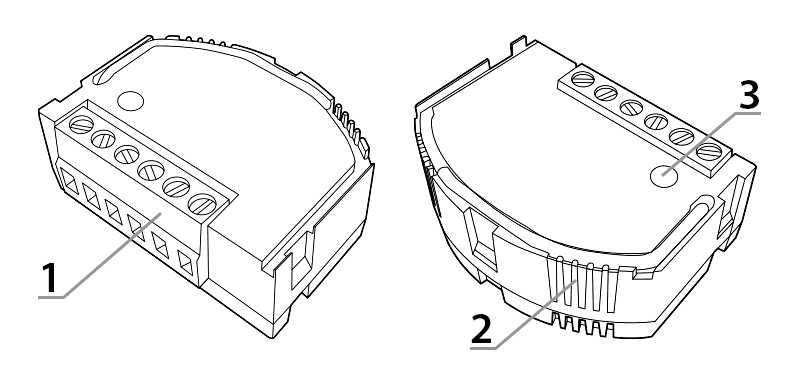
1 – Connection terminals
2 – Indicator light
3 – Pairing/deleting device from the system button
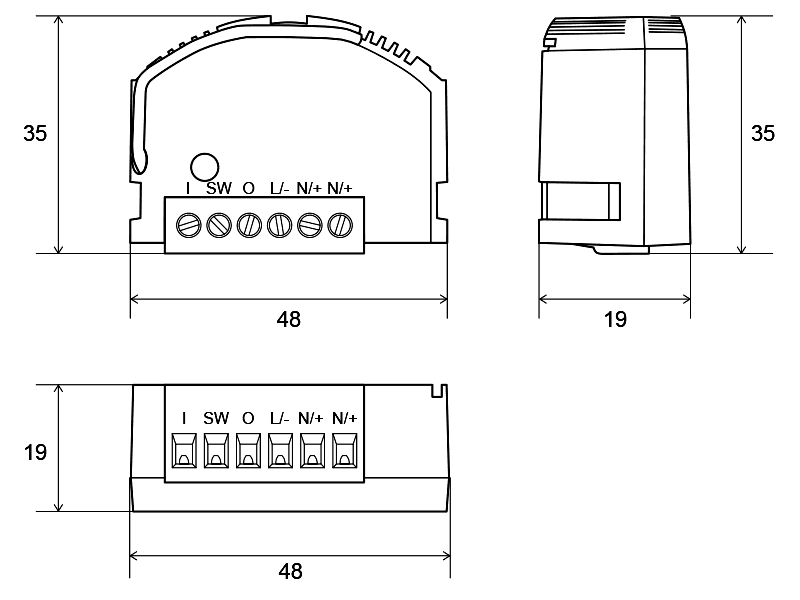
Fig. 2. Dimensions of the device
Device functions
The device was designed and manufactured in Poland in accordance with applicable standards. It is suitable for installation in junction boxes with a minimum depth of 60 mm and meeting national standards.
A correctly connected and configured device allows you to:
- Possibility to control conventional and LED lighting.
- Possibility of control using monostable, bistable or remote switches.
- Measuring the supply voltage value.
- Measurement of active power and total energy consumption of the connected receiver.
- Secure radio connection using the AURA protocol.
Additionally, Auraton Switch ONE is equipped with:
- Software protection against switching on the voltage when it is not within the permissible operating range of the device.
- Software overcurrent protection to protect the module from damage.
- Software protection against exceeding the permissible internal temperature.
- Two-color internal LED to identify device status.
Description of measured parameters:
Active power – the power consumed by a device, resulting from the supply voltage, current, and load characteristics. This value directly translates into electricity bills.
Electricity consumption – a measure of electricity consumption, expressed in kWh (kilowatt-hours). This value is also displayed on the electricity meter installed in every home.
Connection to the power supply
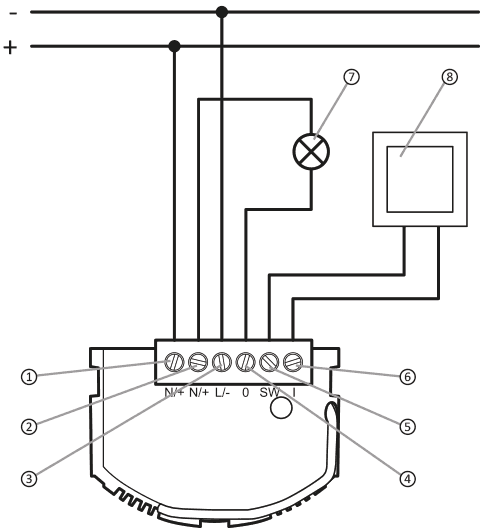
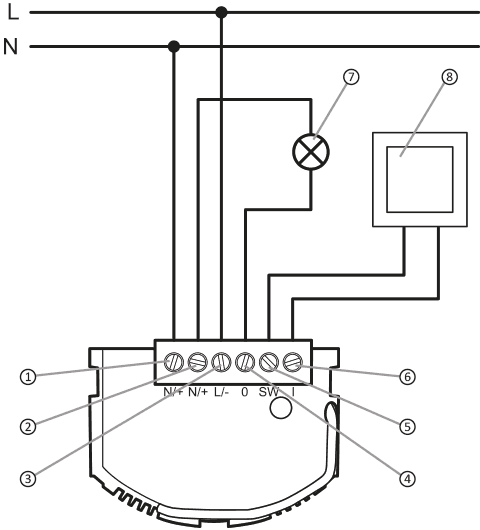
The AURATON Switch ONE relay module can be connected to a 230 V AC mains supply and to a 12–30 V DC voltage source. The electrical installation should be protected by a circuit breaker with a maximum current of 10 A, meeting national standards. The minimum cross-section of the connecting wires should be 1 mm2 , while the maximum cross-section of the connecting wires cannot exceed 2.5 mm2 . No additional settings are required for either type of supply voltage. The connection method is shown in Fig. 3. Pay particular attention to the marking of the power supply terminals N/+, L/-.
WARNING!
Improper connection of the device may result in damage to the device and pose a risk of electric shock.
Fig. 3. How to connect the power supply to the Auraton Switch ONE module
Direct voltage 12-30 V DC:
Alternating voltage 60-240 V AC:
Connecting stair switches:
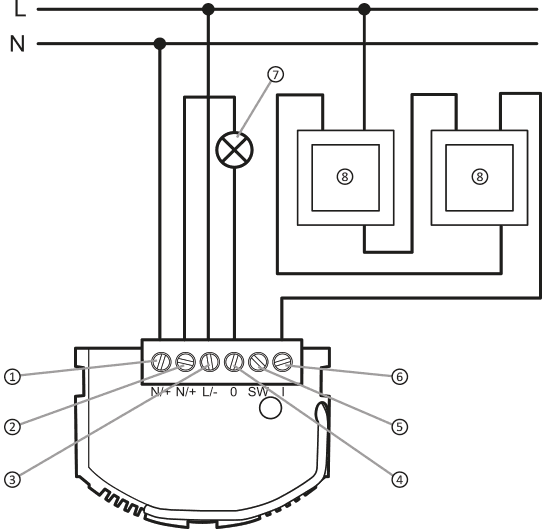
Explanations for the diagram:
- (N/+) terminal for neutral wire or (+) for DC voltage source
- (N/+) terminal for neutral wire or (+) for DC voltage source
- (L/-) phase terminal or (-) for a DC voltage source
- (O) receiver output terminal (phase-L) or "-" (minus) for a DC voltage source
- (SW) switch terminal
- (l) switch terminal
- energy receiver
- wall switch
Device pairing
Once the module is properly connected and powered on, the LED inside the housing should begin flashing red, as shown in Fig. 5.1. This indicates that the device is not paired with the AURATON Smart system. If the LED flashes as shown in Fig. 5.3 or Fig. 5.4, the device must first be removed from the system.
Enabling pairing – Auraton Switch One
To activate pairing, hold down the button on the device's housing. Release the button when the LED lights green. The pairing process should begin, and the LED should flash as shown in Figure 5.2. During this time (approx. 30 seconds), initiate pairing on the other device you want to pair with the AURATON Switch ONE.
Enabling pairing – AURATON Pulse control panel
Pairing in AURATON Pulse is enabled using the AURATON Smart App. On the next screen, name the device you're adding. After entering the name, press the "Add" button. Once successfully paired, you can place the device in any previously added room and add it to your favorites.
Fig. 4. Adding a device to the Auraton Pulse control panel
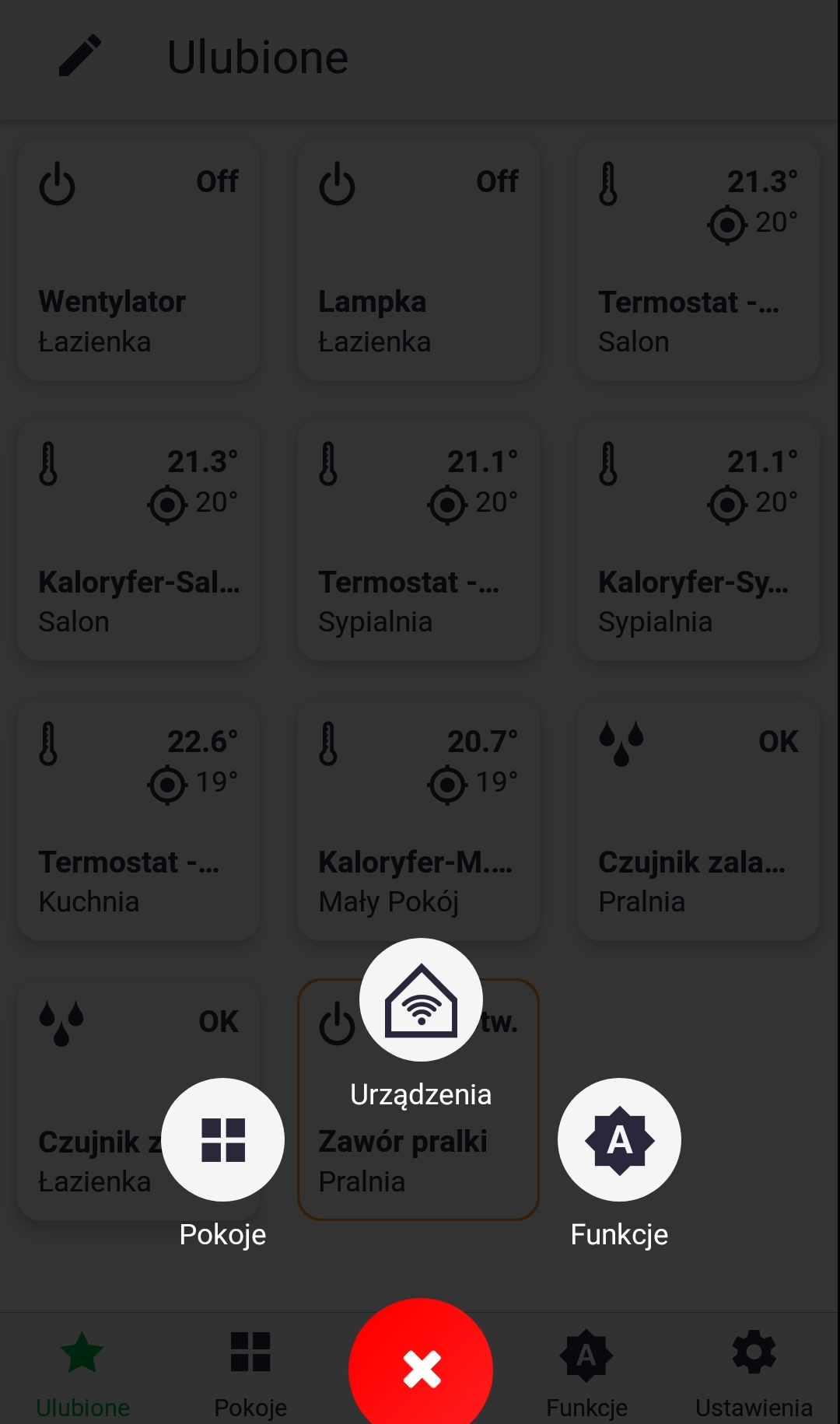
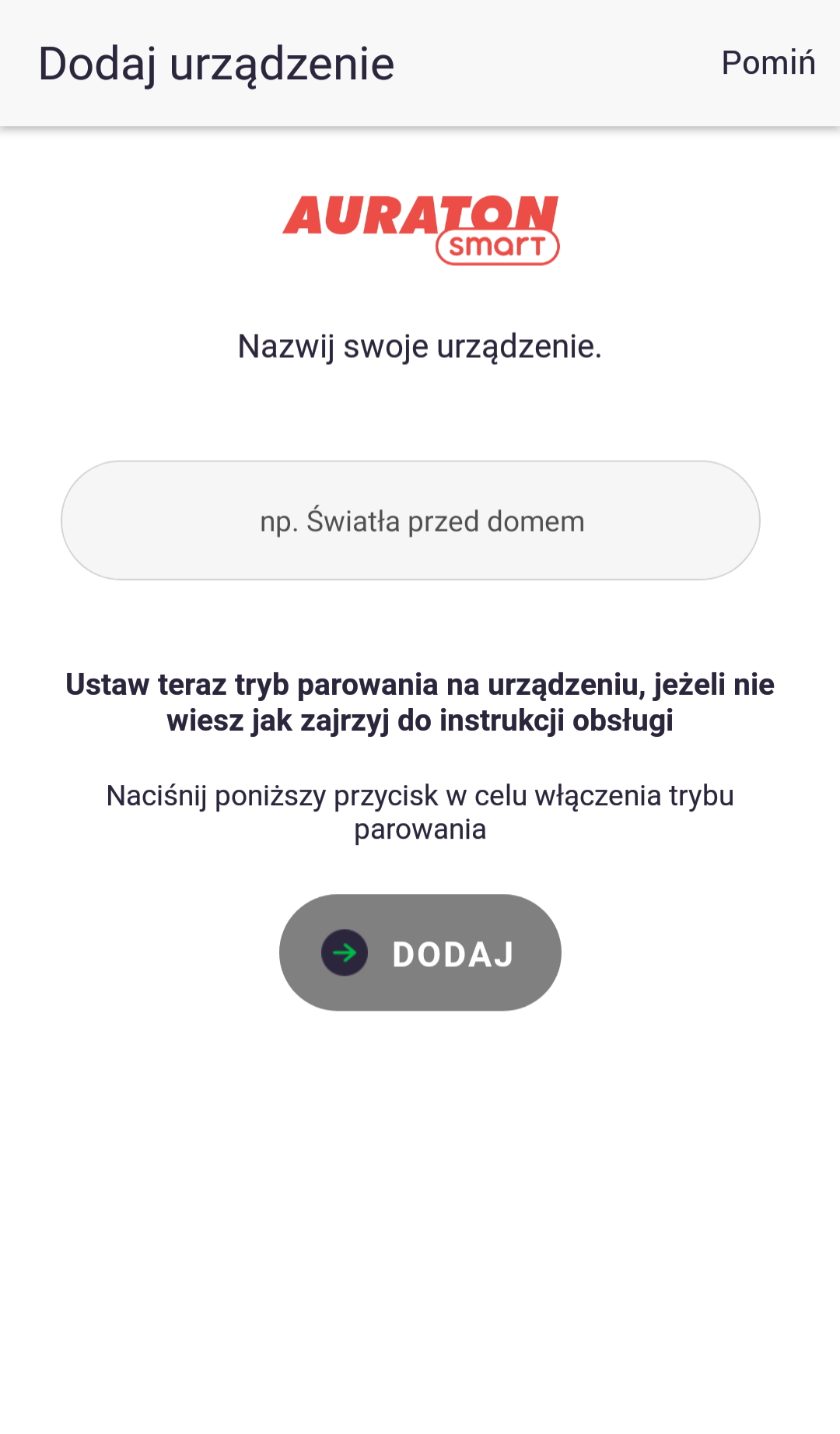
Fig. 5. Time graphs defining how the LED lights up when the device is paired:
- Condition: The device is not connected to the system.
Diode: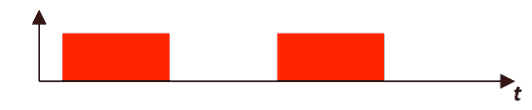
- Condition: Device in pairing mode
Diode: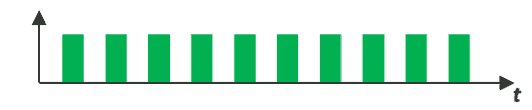
- Condition: The device is connected to the system and is working properly.
Diode: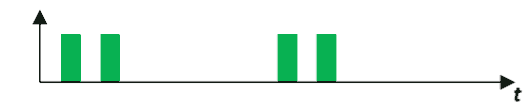
- Condition: The device cannot connect to the Auraton system – check the range.
Diode: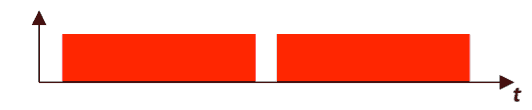
Factory reset
To restore the factory settings, hold the button during normal operation (approx. 5 seconds) until the LED lights red. Release the button and press it again within 3 seconds to confirm the operation. All information on the device will be cleared. The LED should indicate that it is not connected to other AURATON Smart system devices (Fig. 5.1).
Local control
Once the device is properly connected to the power supply (Fig. 3), local load control is possible using a switch connected to the SW and l . Standard flush-mounted or surface-mounted switches, both bistable (with voltage retention) and monostable (bell) types, can be used. Once connected, no additional configuration is required due to the type of switch included.
Control via the AURATON Smart application
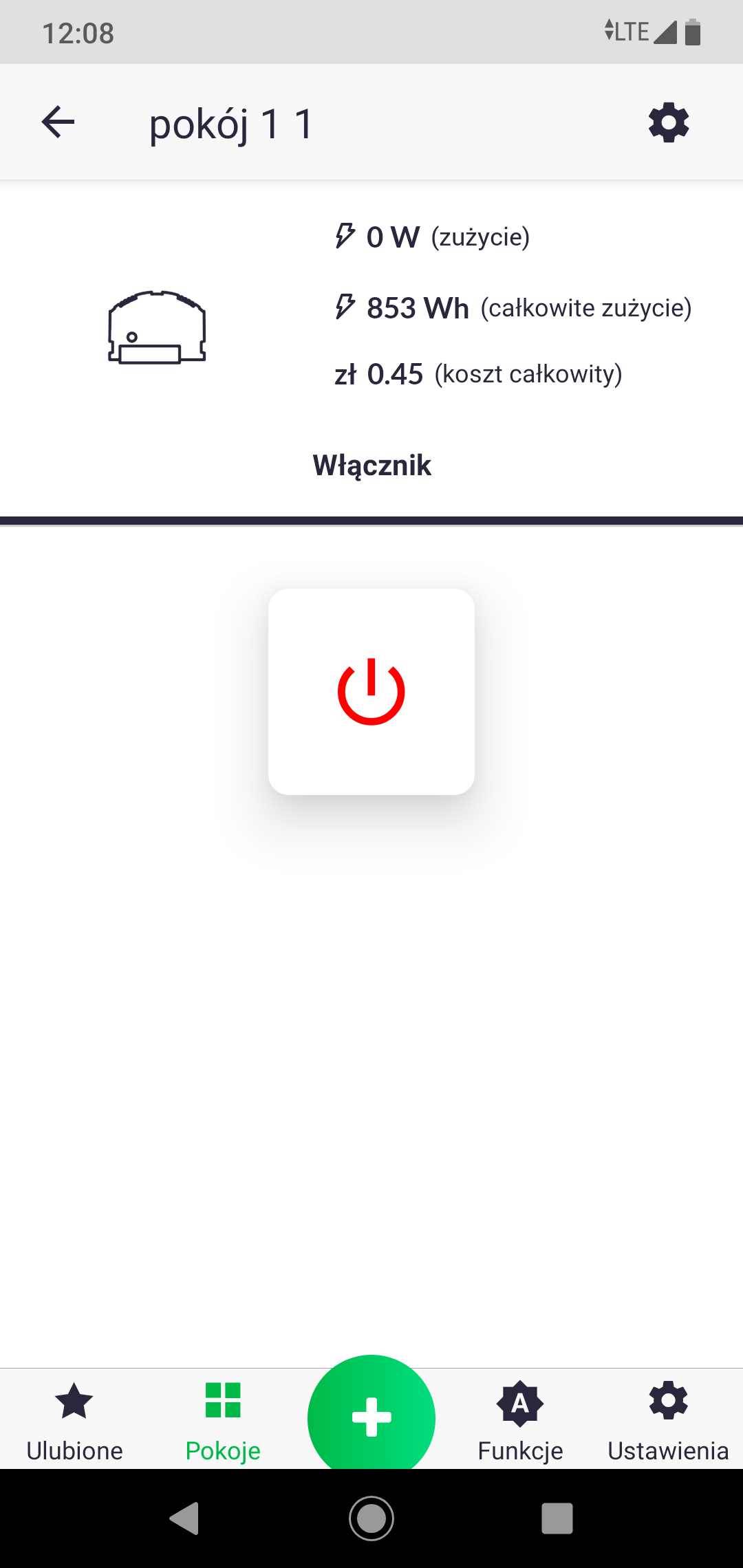
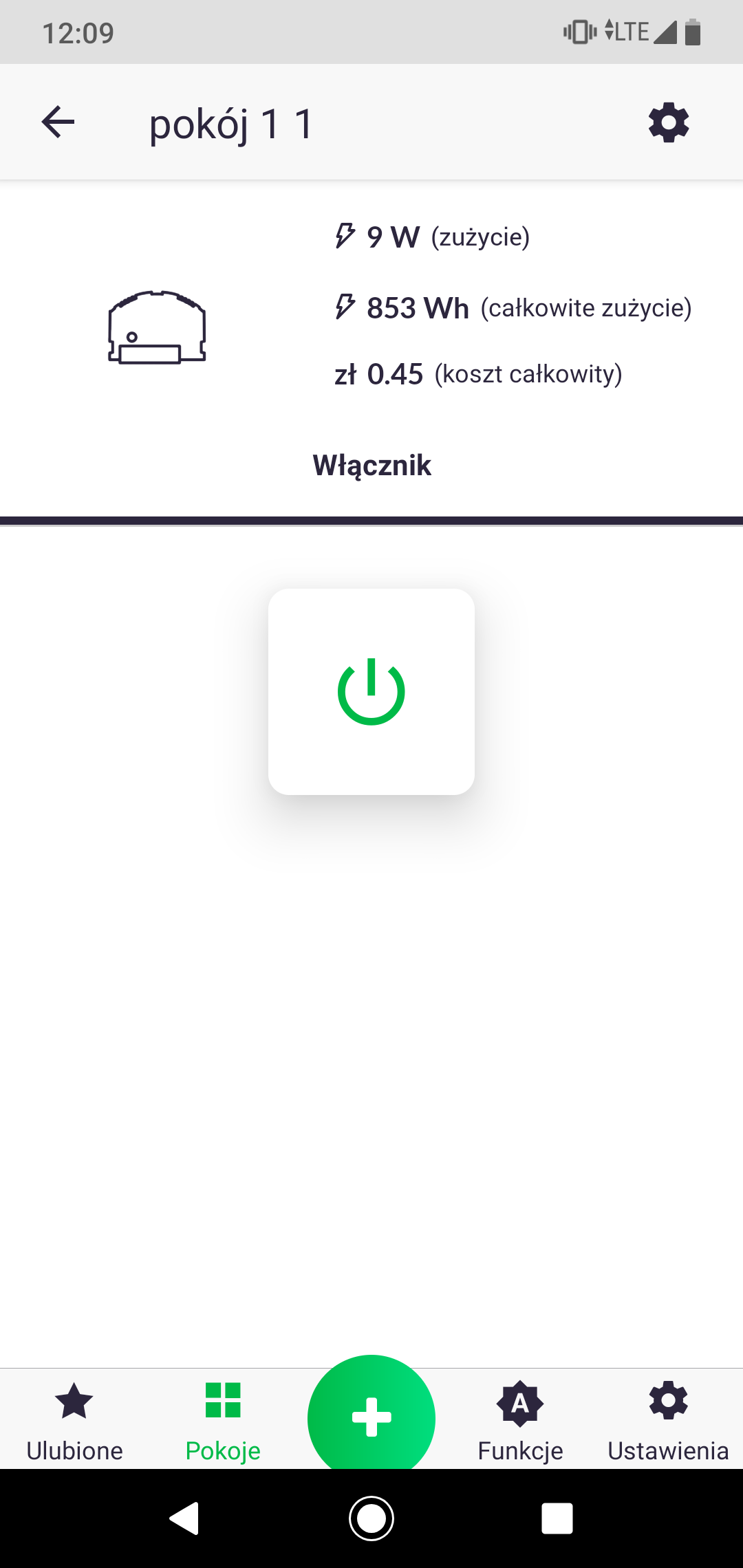
The AURATON Smart app allows you to turn on and off the load connected to the AURATON Smart module, as well as view its total energy consumption. Additionally, after entering the electricity tariff settings (Fig. 7), depending on the supplier, you can automatically calculate the operating costs of the connected device. After launching the app, briefly tapping the icon of the selected device will turn it on or off. Long-pressing the icon will redirect the user to a screen displaying the device's power consumption and operating costs (Fig. 8).
Fig. 6. Entering the electricity tariff
In order for the application to display the costs we incur for the electricity consumed, go to Settings -> General -> Electricity Tariff in the application.
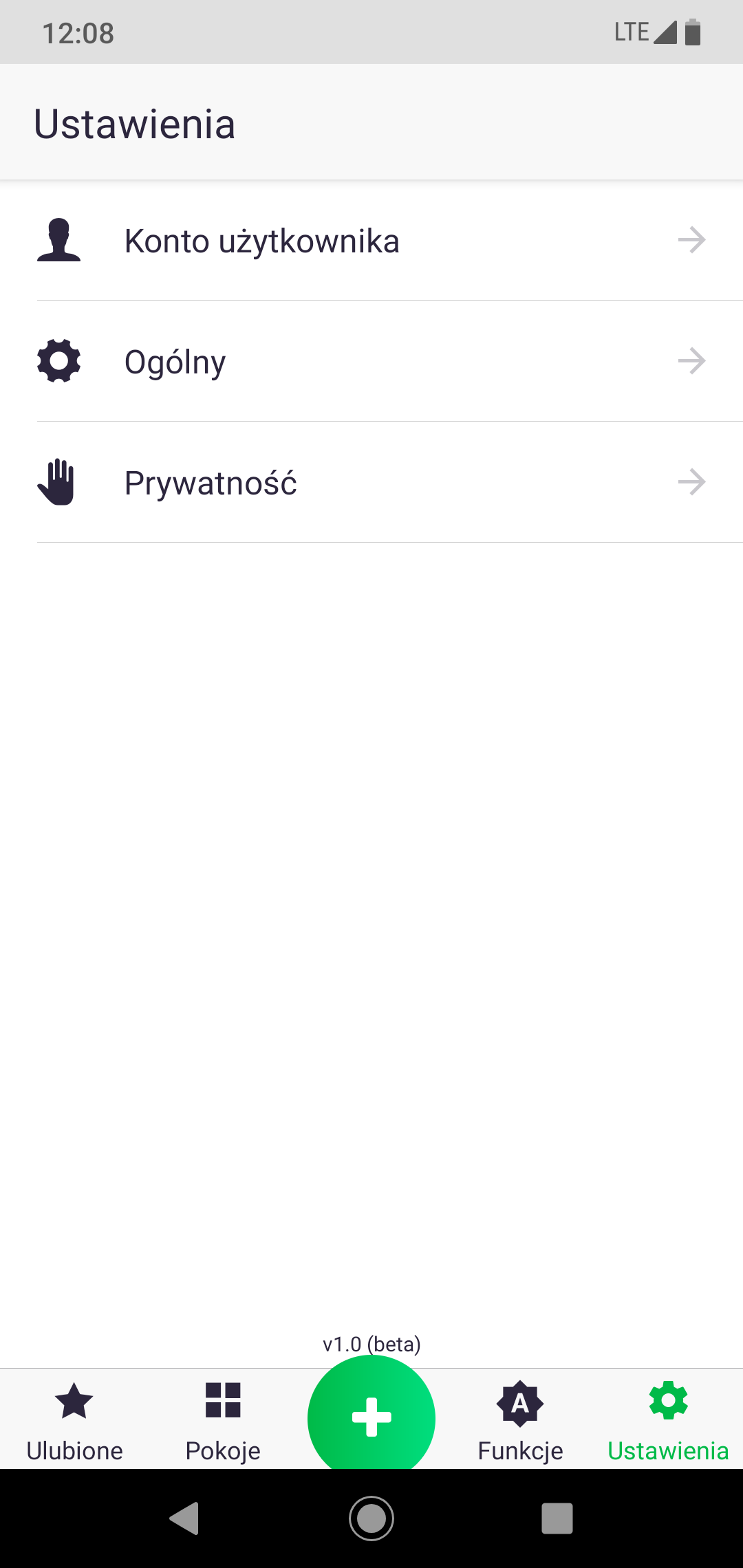
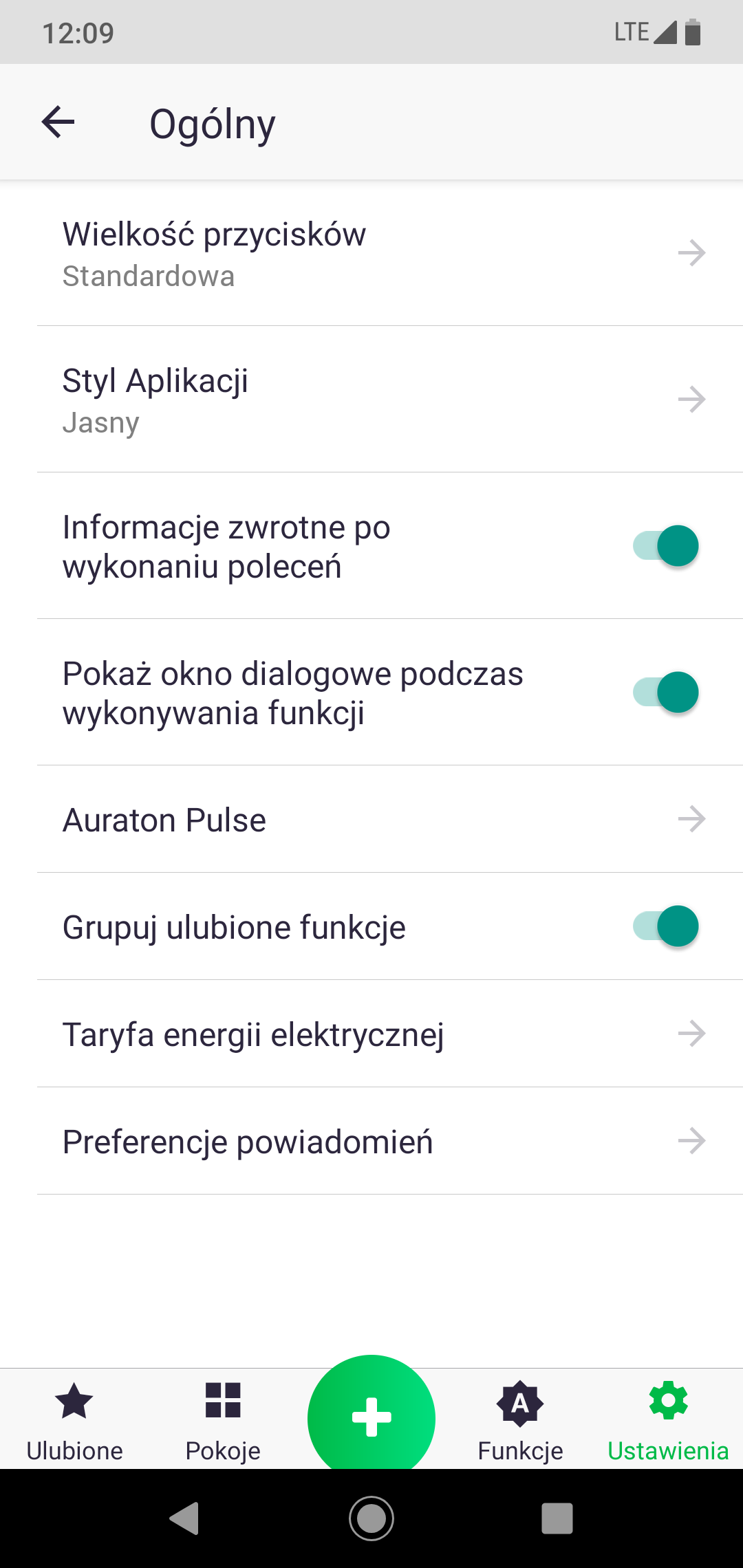
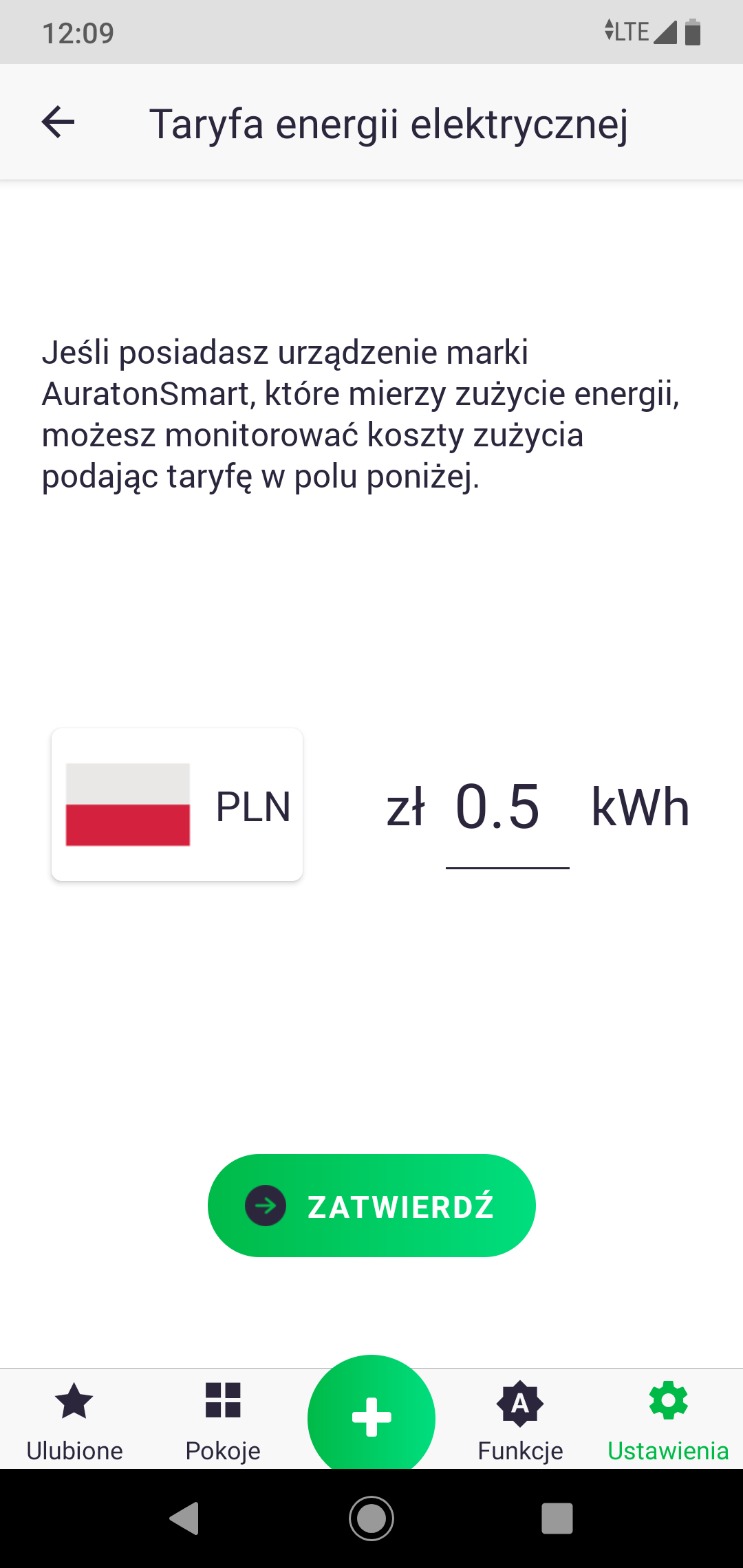
Fig. 7. Controlling a device connected to the AURATON Smart system
Peripheral software update
The AURATON Smart system allows for remote software updates for peripheral devices. Updates are performed over the air (OTA), which is always followed by a device restart. If, after installing the new software, the device is enriched with features you don't like, you can manually restore the previous software version.
Fig. 8. Subsequent stages of software update
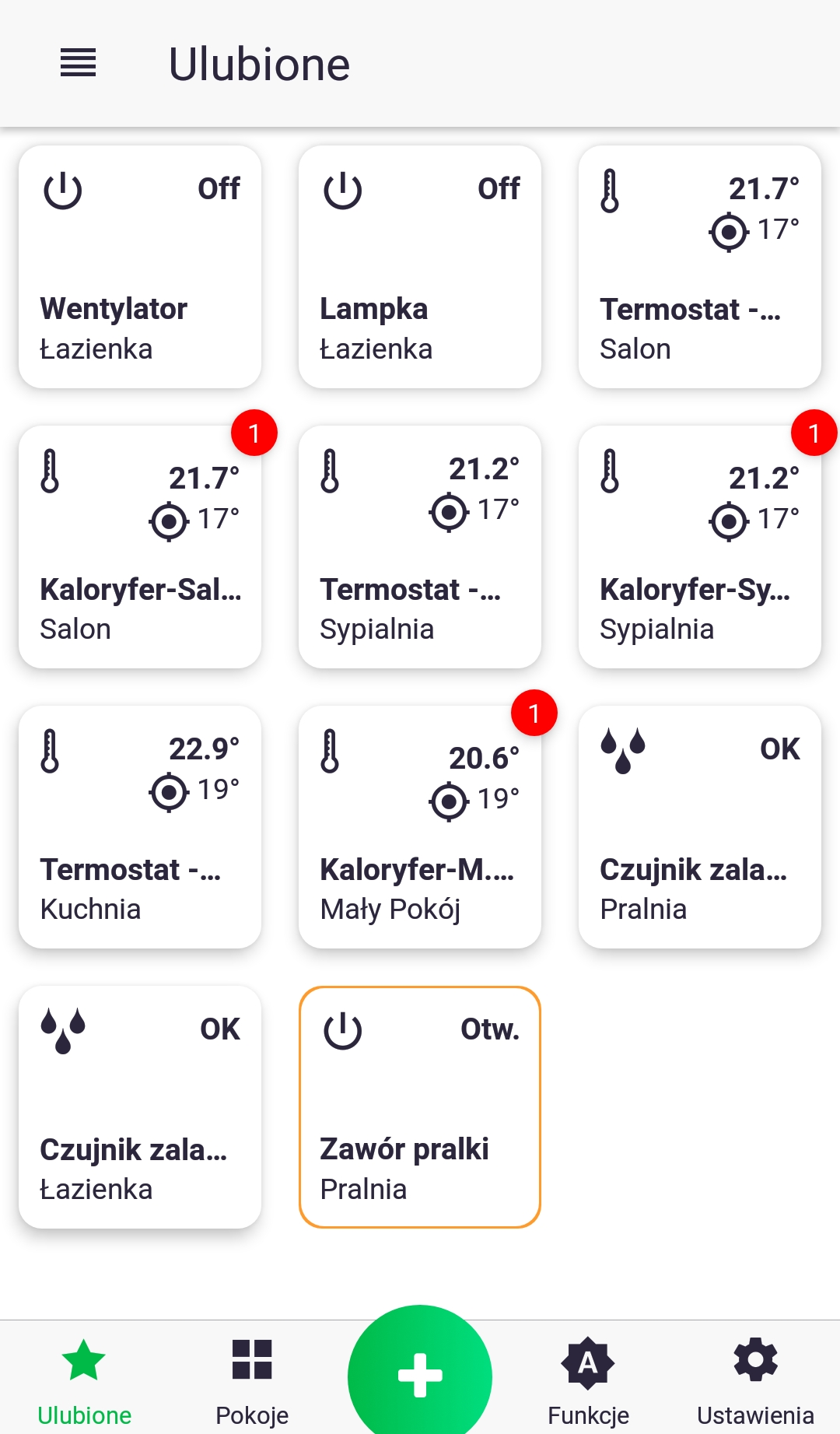
- A red checkmark indicates that an update is pending for the device. To perform the update, long-press the icon to access the control screen.
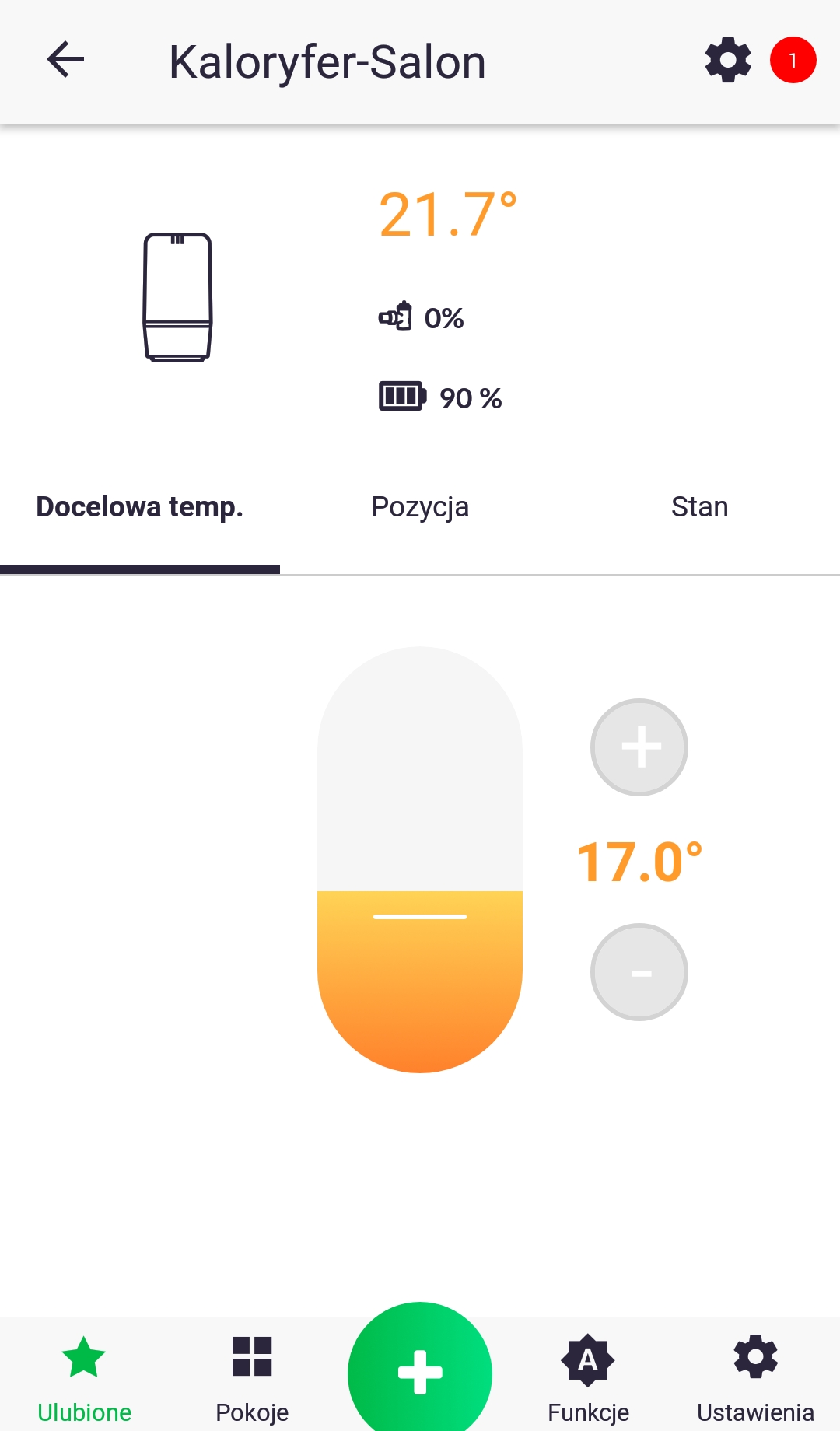
2. Follow the marker and click the device settings icon. On the next screen, press "Software Update."
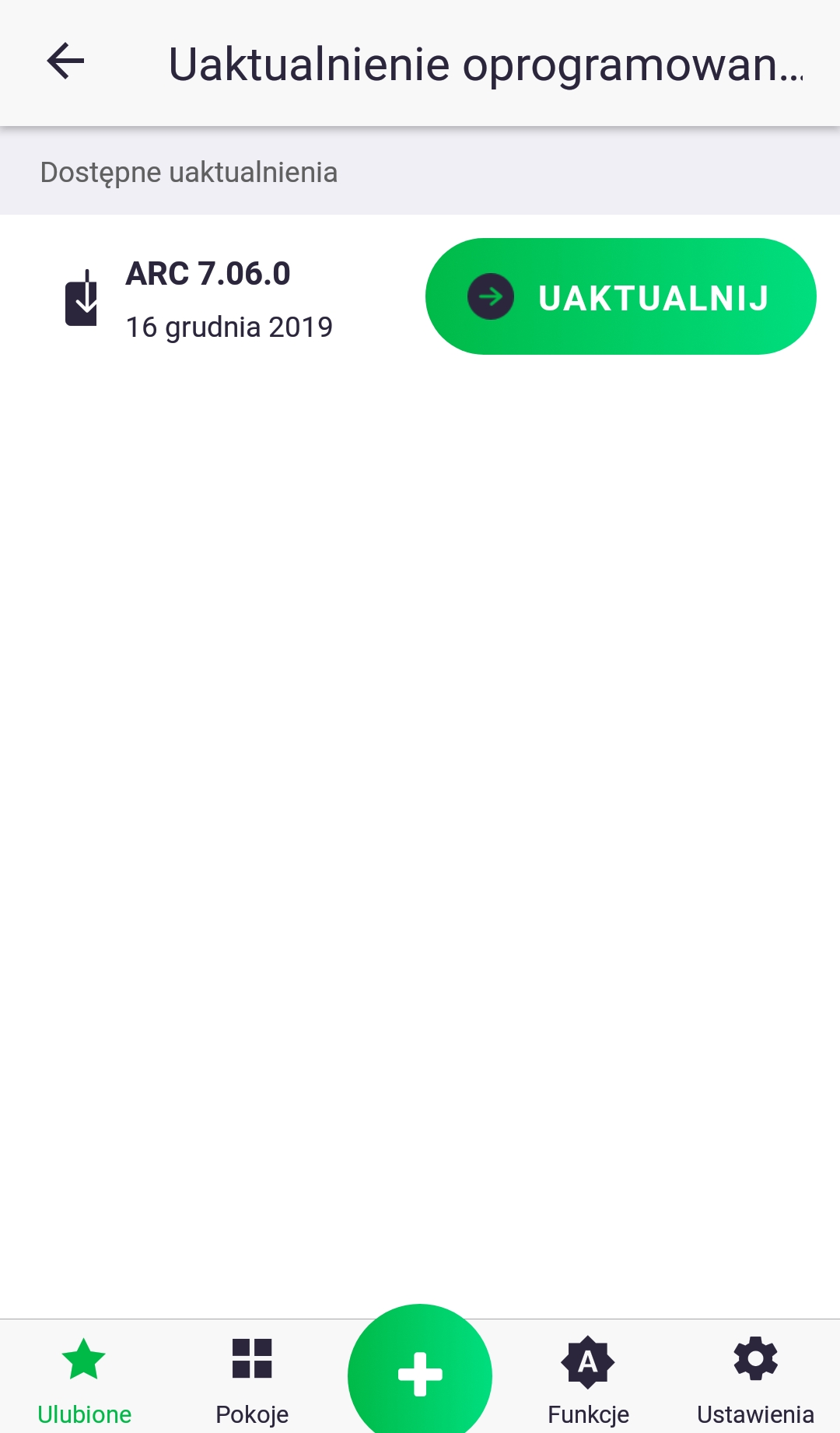
3. Click "Update." The update may take several minutes, during which time the AURATON Pulse control panel will not respond to commands issued from the app. After the update, the red marker should disappear; if this does not happen, repeat the above steps.
While downloading the software update, the internal LED should flash as shown in Fig. 9.1. After downloading the update, the new software can be uploaded to the device (Fig. 9.3) or rejected in the event of an error (Fig. 9.4). After the update, and before the device restarts, the LED will flash as shown in Fig. 9.5 – Fig. 9.6 depending on the success of the update.
Fig. 9. Time graphs defining the LED lighting pattern during software update:
- Condition: Device in OTA update mode.
Diode: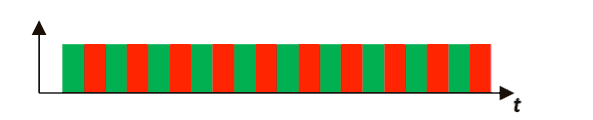
- Condition: Restoring a previous version of the software.
Diode: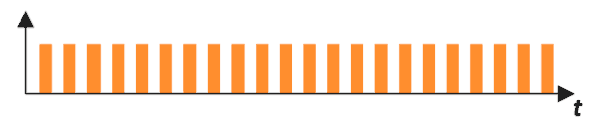
- Condition: Uploading software
(continuous diode status until upload is completed)
Diode: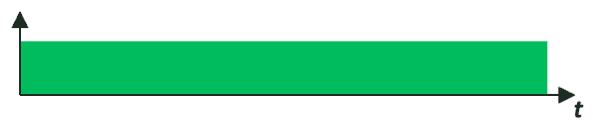
- Condition: No software to load (2 blinks).
Diode: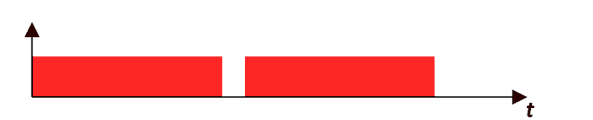
- Condition: Software loaded correctly (3 flashes).
Diode: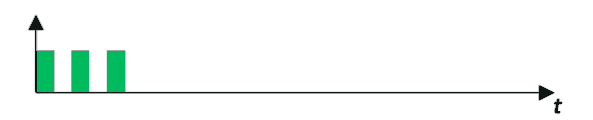
- Condition: Software failed to load, incorrect version in memory or memory communication problem (3 flashes).
Diode: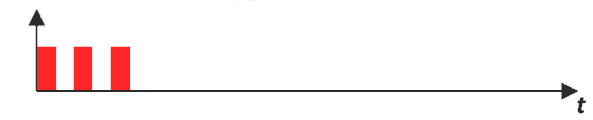
- Condition: An unexpected error occurred during a software update, which prevents the device from turning on correctly.
Contact with service required.
Diode: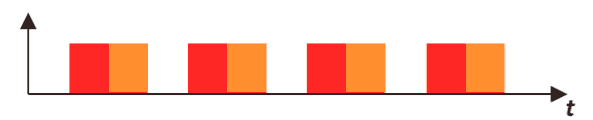
Restoring a previous software version
After completing the update, or if it fails (Fig. 9.4), you can roll back to the previous software version. There are two ways to do this.
With power disconnection
After pressing the button on the device's housing, turn on the power – the LED will flash as shown in Fig. 9.2. While still holding the button, wait until the LED stops flashing. The next steps are the same as for updating the software.
Without disconnecting the power supply
If the device starts correctly and responds to the button according to basic functions, such as pairing and deletion, you can restore the previous version without unplugging the device. Hold the button for at least 7 seconds until the LED turns orange, then release it. Then, while the LED remains lit, hold the button again and proceed as in the example with disconnecting the power supply.
Technical data
| AC supply voltage: | 60-240V AC, 50-60Hz |
| DC supply voltage: | 12-30V DC |
| Maximum power consumption: | ≤1 W |
| Power consumption in standby mode: | ≤0.4 W |
| Operating temperature: | 0-35°C |
| Dimensions: | 48 x 35 x 19 mm |
| Power cord type, maximum permissible power cord cross-section. | 3 x 2.5 mm2 |
| Permissible load: | up to 8.6 A for resistive load |
| Security type: | An external circuit breaker with a maximum current of 10 A is required. |
| Control element: | Electromagnetic relay with micro-break |
| Control method: | remotely – by radio, locally – using a button |
| Maximum number of paired devices: | 1 |
| Cooperation with the Internet headquarters | AURATON Pulse |
| Degree of protection | IP20 |
| Radio signal strength: | up to 11 dBm |
| Radio receiver category: | 2 |
| Radio protocol: | AURA |
| Radio operating frequency: | 868.150 MHz 868.450 MHz |
| Reception: | up to 300 m in open space up to 30 m in a building, depending on obstacles |
Disposal of the device
O
Devices are marked with a crossed-out waste bin symbol. In accordance with European Directive 2012/19/EU and the Waste Electrical and Electronic Equipment Act, this marking indicates that this equipment, after its useful life, must not be disposed of with other household waste.
Users are obligated to dispose of it at a collection point for used electrical and electronic equipment.
LARS Andrzej Szymański hereby declares that the AURATON Switch ONE radio equipment type complies with Directives 2014/53/EU and 2011/65/EU. The full text of the EU declaration of conformity is available in the download section below.
Manufacturer's address and contact details:
LARS, ul. Świerkowa 14
64-320 Niepruszewo
www.auraton.pl