

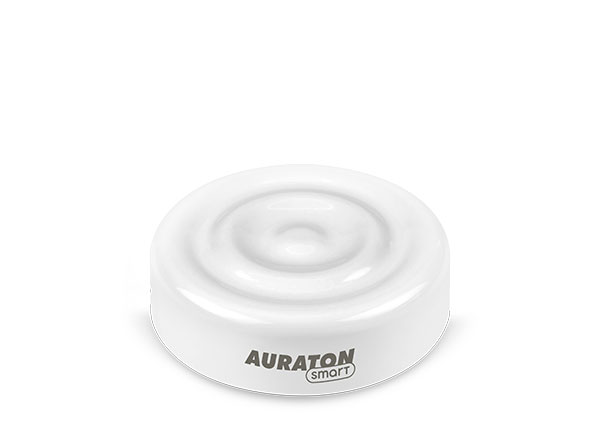
User manual ver. 1.1
This document collects information on the safety, installation and use of the Auraton Flood Sensor device.
Basic information
The Auraton Flood Sensor detects flooding in a monitored room. The device is designed to work with the Auraton Flood Sensor Valve. One FSV valve supports a maximum of 10 sensors.
NOTE:
The system will minimize damage resulting from water damage only if*:
- the Flood Sensor Valve was correctly installed in the water system by the installer,
- the FSV valve has been correctly associated with at least one Flood Sensor,
- radio communication between FS and FSV devices is correct and stable, and has been previously checked (the devices should not operate at the limits of their range),
- the Flood Sensor is placed close to a point with access to water, e.g. next to a washing machine, dishwasher, sink, and has a real possibility of detecting a leak,
- the FSV valve remains permanently powered via the included power supply or the battery is regularly recharged to maintain the device's continuous operation,
- the valve only minimizes the risk within the scope of the installation connected to it and cannot prevent damage resulting from the action of water outside the system to which it is connected, e.g. damage resulting from leaky roofs, windows or the operation of external installations (flooded by a neighboring premises).
*The manufacturer is not responsible for losses and damages resulting from flooding and other unforeseen events.
Device description
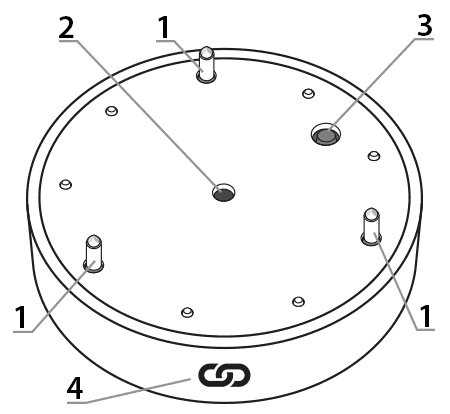
1 – Flood sensors
2 – Operation indicator light
3 – Function button
4 – Magnet used to activate the pairing function in the Flood Sensor Valve ( @ )
Installation
The flood sensor should be placed on the floor, relatively close to the water system (washing machine, dishwasher, etc.) , so that it can send a signal to the valve when moisture is detected. The distance between the Flood Sensor and the Flood Sensor Valve should be no less than 1.5 meters to avoid radio communication problems. If radio communication is poor, try rotating the Valve on the pipe by 90° to better align the Valve and Sensor antennas, or reduce the distance between the devices.
Pairing devices
To enable pairing on the Flood Sensor, press and hold the button. A short beep will sound after pressing . Continue holding the button until you hear another longer beep , then release the button. Pairing is enabled by a flashing red LED.
Long beeps (BEEP) indicate successful completion of the function, while short beeps (BEEP) indicate an error in completing the function.
After completing the appropriate function, the detector returns to its previous state.
Enabling pairing – Auraton Flood Sensor Valve
To enable pairing on the Auraton Flood Sensor Valve, place the FS flood sensor and the FSV valve together on the pairing symbol side ( @ ). A moment after placing the sensor, you will hear a short beep from the valve . Keep the sensor pressed until you hear another long beep , and then move the two devices away from each other.
Enabling pairing – Auraton Pulse control panel
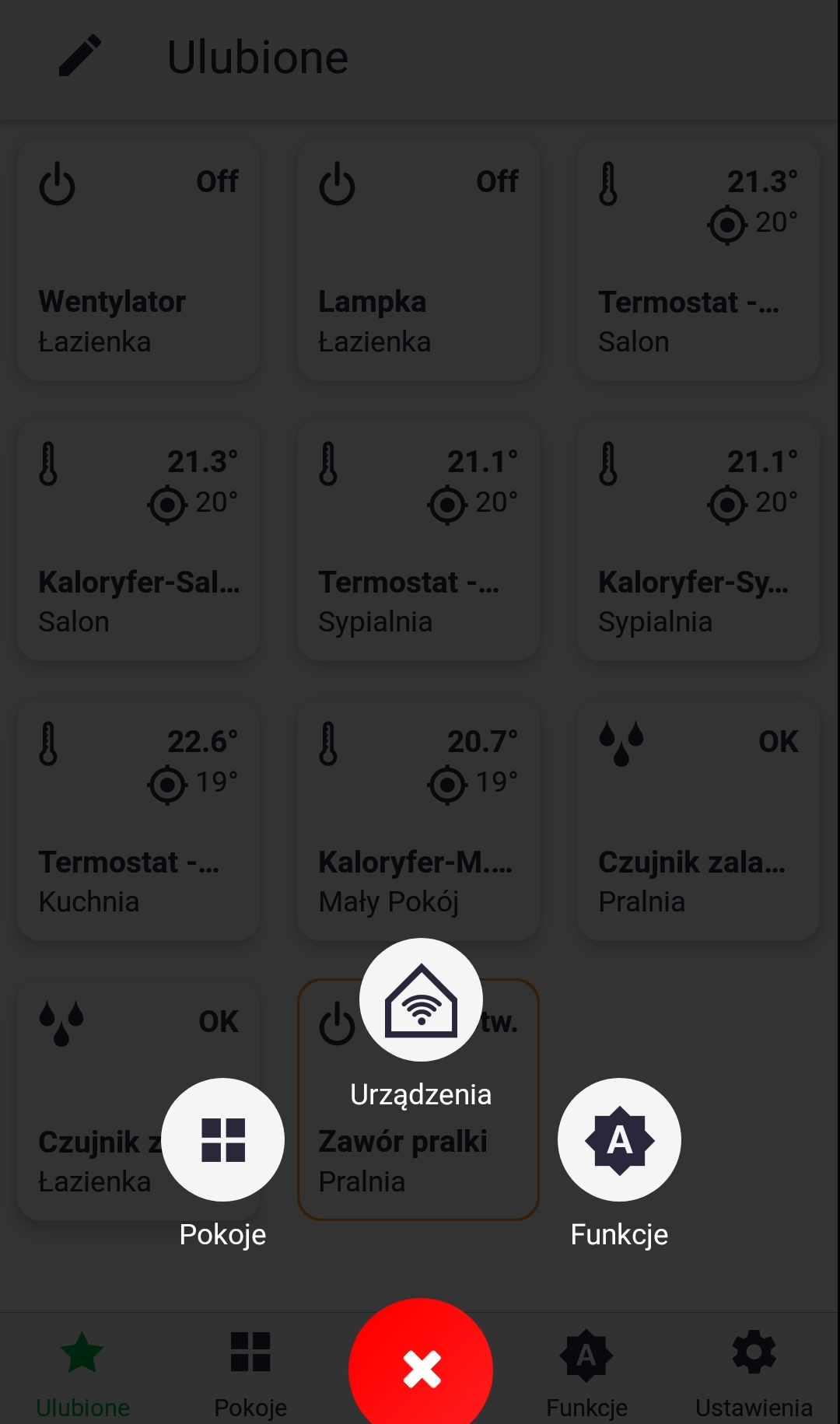
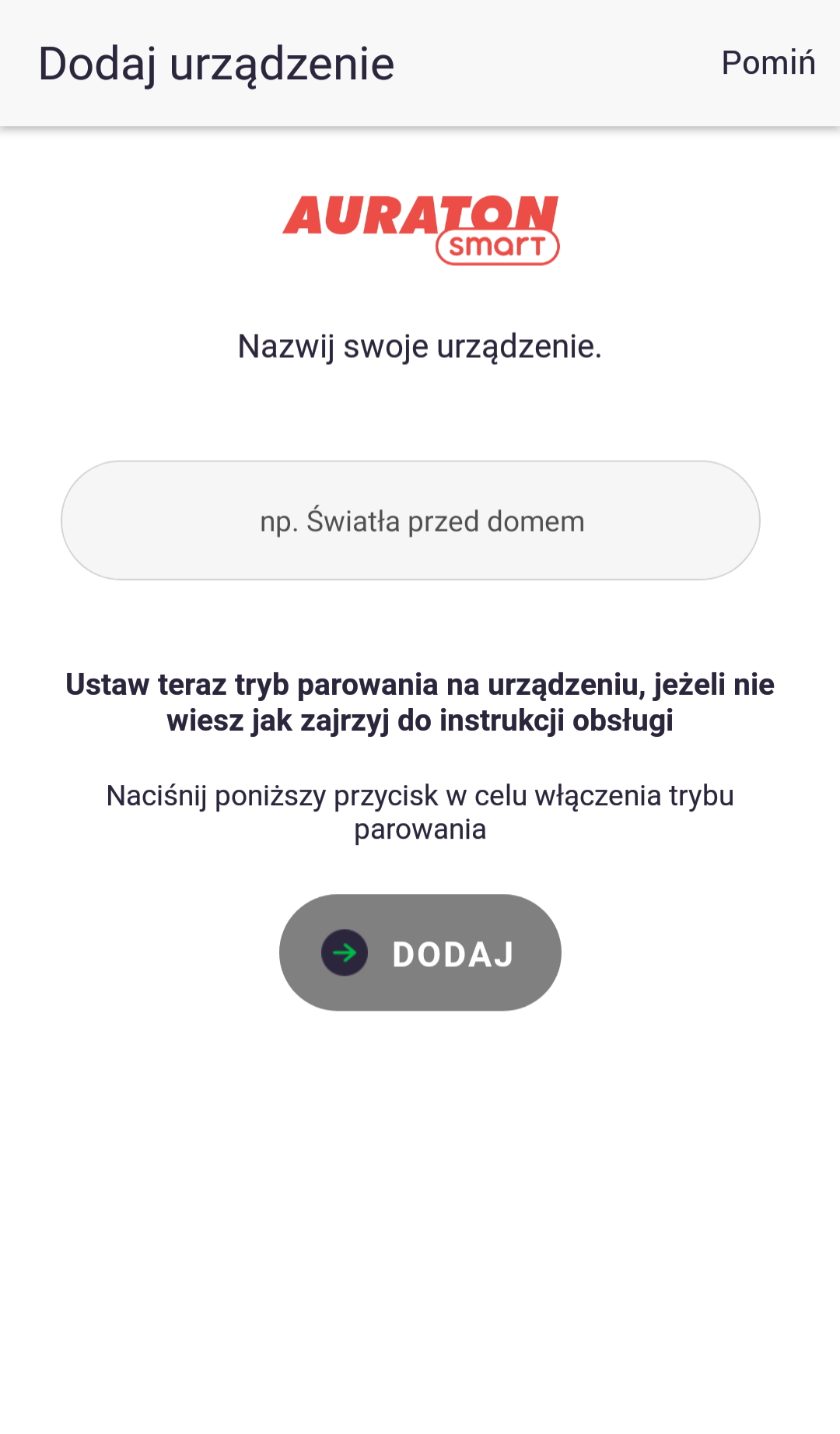
Pairing in Auraton Pulse is enabled using the Auraton Smart App. After launching the app, press the green plus button in the center of the screen. When the next screen appears, tap the house icon labeled "Devices." On the next screen, name the device you're adding. After entering the name, press the "Add" button. Once successfully paired, you can place the device in any previously added room and add it to your favorites.
Factory reset
To restore the Flood Sensor to its factory settings, press and hold the button. A moment later, you'll hear a short beep . Hold the button until you hear two longer beeps , then release the button. At this point, the device should emit a continuous beep. Now, briefly press the button to confirm that you want to delete all user data from the Auraton Flood Sensor.
Long beeps (BEEP) indicate successful completion of the function, while short beeps (BEEP) indicate an error in completing the function.
After completing the appropriate function, the detector returns to its previous state.
Device functions
Indication of room flooding
The Flood Sensor detects flooding after 10 seconds of continuous contact between the "pins" (see "Device Description") located near the button and signals it with short beeps. Flood detection is divided into several stages:
- First 10 minutes (0:10 from flooding) – sound every 20-40 seconds for 3 seconds. Radio messages about flooding are transmitted at the same intervals until one is received by the second device. This will most often be the first message, but it is an additional safeguard in case of communication problems.
- after another 30 minutes (0:40 from flooding) – audible signal for 30 seconds. Extending the interval by another 30 minutes.
- after another 60 minutes (1:40 from flooding) – a sound signal sounds for 30 seconds. The interval is extended by another 30 minutes. The wake-up time is extended until it reaches 24 hours.
Function to restore the previous software
To update the software on the Flood Sensor, press and hold the button. A moment later, you'll hear a short beep . Continue holding the button until you hear three longer beeps , then release the button. At this point, the device should emit a continuous beep. Now briefly press the button to confirm that you want to restart the device. Immediately after this brief press, press and hold the button again until the red LED stops flashing (three flashes). The device will then restart and the previous software version will be restored (in the event of malfunctions after the update). The entire process can take up to a minute. The previous software version is always loaded. If the software was previously updated from version 1.6 to 1.5, the previous version is 1.6.
Transport mode
Transport mode disables all device functions and the Flood Sensor draws less current than during normal operation. The device can then be safely stored or transported without significant impact on battery life. To activate Transport mode on the Flood Sensor, press and hold the button. A moment later, a short beep will sound . Hold the button until you hear four longer beeps , then release the button. At this point, the device should emit a continuous beep, and now briefly press the button to confirm. To exit Transport mode, hold the button longer.
Long beeps (BEEP) indicate successful completion of the function, while short beeps (BEEP) indicate an error in completing the function.
After completing the appropriate function, the detector returns to its previous state.
Device operating modes
The Auraton Flood Sensor Valve and the Auraton Flood Sensor can operate in two modes.
Mode I (Local):
In this mode, the valve and sensor can operate independently without the need for the Auraton Pulse internet control panel. The sensor must be correctly assigned to the valve. Up to 10 sensors can be assigned to a single valve. If flooding is detected by one of the sensors, the valve will automatically close. Opening the valve is not automatic and must be done manually using the knob located on the top of the valve housing.
Mode II (remote):
In remote mode, you can use the Auraton Pulse internet control panel, providing access to the entire system from outside the home.
This allows you to remotely open or close the valve, check the battery levels of both the valve and the sensor itself, receive notifications of possible flooding, create schedules, and much more. Of particular importance is the ability to link valve closures to specific flood sensors, enabling automatic valve closure when flooding is detected via the Auraton Pulse control panel. This also allows you to receive remote notifications of flooding events.
For proper remote operation, Internet access is required both from the control unit itself and from the phone or tablet with the application (Android, iOS).
When using Mode II (remote), it is recommended to first pair the sensor with the valve itself . Pairing the valve and sensor will ensure proper operation of the set even in the event of a power outage to the Auraton Pulse control unit (e.g. power outage).
Cooperation with Auraton Pulse headquarters
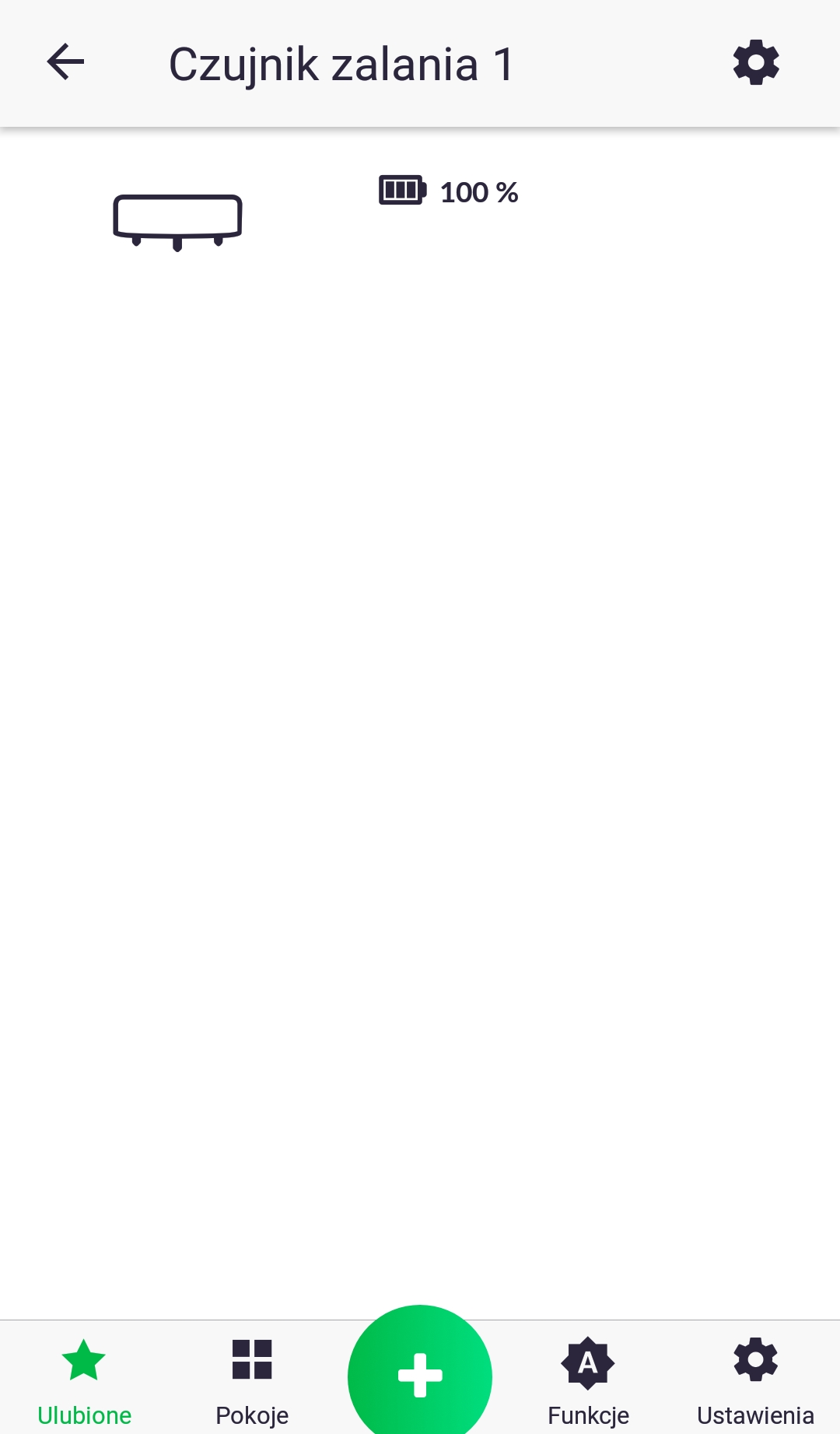
The Flood Sensor is paired with the Auraton Pulse control unit just like with other devices (as described in the section on pairing devices). The only difference is that pairing mode is activated on the control unit through the app by pressing the green plus sign at the bottom of the screen and then clicking the "Devices" icon. Details are described in the app's user manual. The image below shows the device's screen in the app, showing the battery charge percentage. The sensor's status, indicating whether flooding has occurred or whether everything is "OK," can be viewed on its icon in the device window, e.g., in the "Favorites" tab or for a specific room.
The device uses available battery power very sparingly, so radio communication only occurs in the event of flooding and every six hours. Only then can the Flood Sensor receive a command from the Auraton Pulse control panel, such as a software update. The flood sensor is designed to work with the Flood Sensor Valve, which can be linked in the app using the If-Execute function. For example, if flooding occurs, set the FloodValveLevel to 0% (i.e., close the valve).
Technical data
| Model: | Auraton Flood Sensor |
| Operating temperature range: | 1°C – 45°C |
| Humidity: | ≤85% non-condensing |
| Operating status check: | LED diode, sound signal |
| Maximum number of paired devices: | 2 (Auraton Flood Sensor Valve + Auraton Pulse control unit) |
| Power supply: | CR2450 3V non-replaceable |
| Cooperation with the Internet switchboard | Auraton Pulse |
| Degree of protection: | IP67 |
| Radio frequency: | 865.500MHz 867.200MHz 868.150MHz 868.450MHz 869.800MHz |
| Radio signal strength: | 11 dBm |
| Radio receiver category: | 2 |
| Range of action: | in a typical building with standard wall construction – up to 50 m in open space – up to 150 m |
Disposing of the device
O
Devices are marked with a crossed-out waste bin symbol. In accordance with European Directive 2012/19/EU and the Waste Electrical and Electronic Equipment Act, this marking indicates that this equipment, after its useful life, must not be disposed of with other household waste.
Users are obligated to dispose of it at a collection point for used electrical and electronic equipment.