

User manual ver. 20250606
This document collects information regarding the safety, installation and use of the AURATON Temperature Sensor device.
Device description
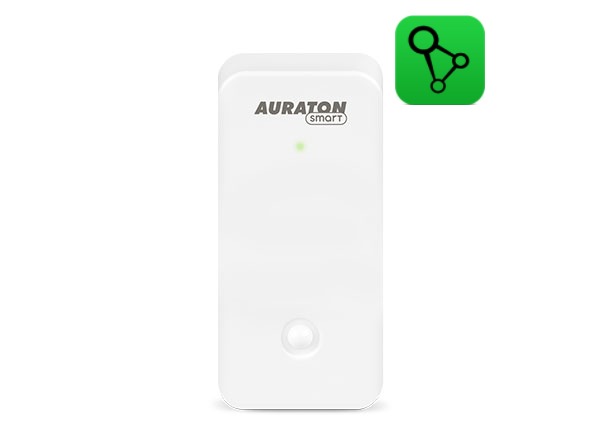
The AURATON Temperature Sensor indoor is a temperature sensor with a measurement resolution of 0.1°C for indoor use. It is a battery-powered device that provides up to 2 years of continuous operation. It is designed for use with the AURATON Box gateway.
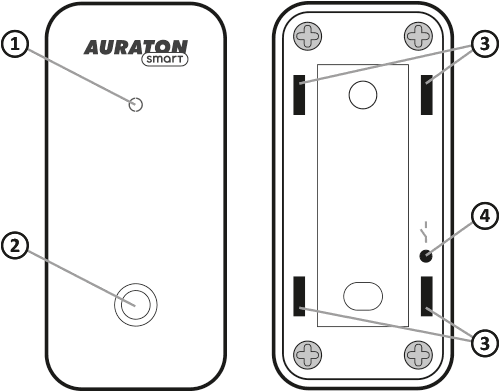
front
back
- signal diode
- temperature sensor
- holes for mounting bracket
- pairing button
Device assembly
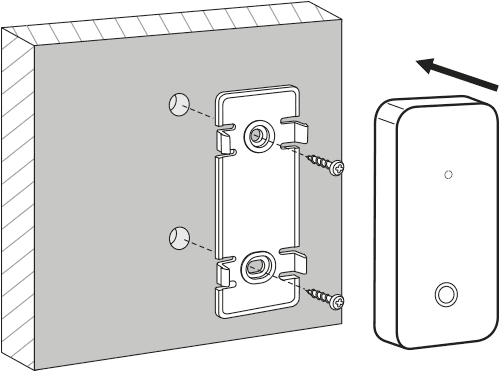
- Two 5 mm diameter holes should be drilled in the wall (the hole spacing should be measured using the mounting bracket included with the device).
- Insert the expansion bolts (included).
- Screw the mounting bracket to the wall.
- Press the device onto the mounting bracket so that the holes on the back wall align with the latches on the bracket.
The mounting bracket can also be mounted using double-sided tape appropriate to the substrate material.
Battery replacement
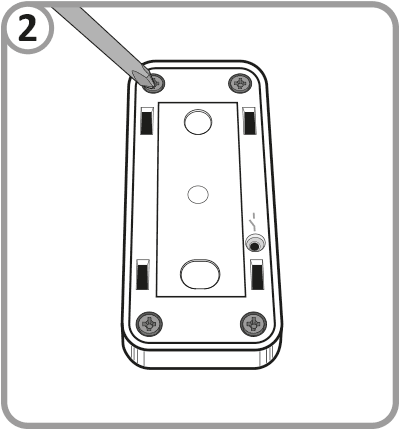
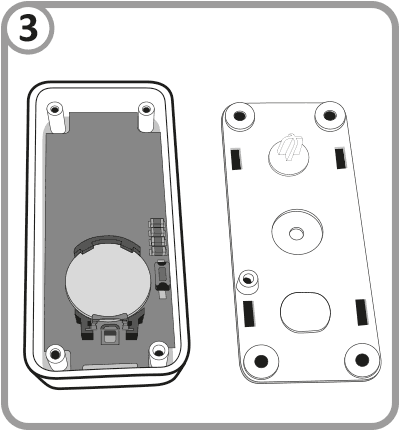
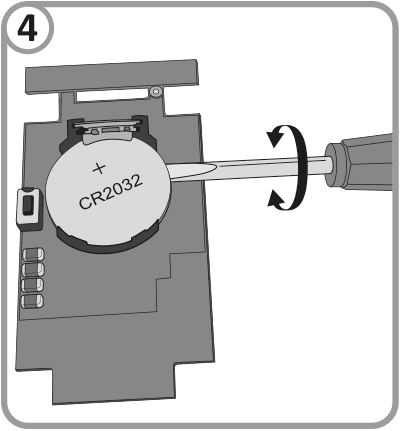
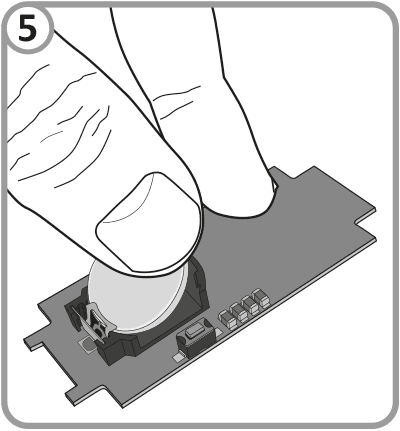
If the battery in the device is discharged, replace it with a new CR2032 3V battery. To do this, unscrew the four screws securing the rear cover of the housing. Then, remove the plate located at the bottom of the housing and use a flat-blade screwdriver to remove the battery located in the battery holder. Press the new battery into the battery holder. After replacing it, reinsert the plate into the housing and screw the rear cover back onto the housing.
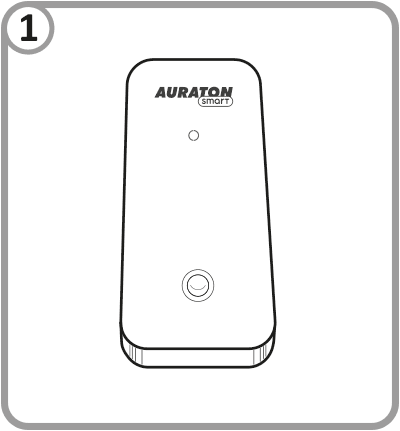
Device functions
Device:
- measures room temperature with a resolution of 0.1 degrees,
- works up to 2 years on one battery,
- is equipped with a replaceable CR2032 3V battery,
- signals its operation with a two-color LED,
- creates a secure radio connection with other devices using the AURA protocol.
Description of measured parameters:
Temperature – current temperature with a measurement resolution of 0.1 degrees
Battery level – battery level expressed in %
Device pairing
Enabling pairing – Temperature Sensor
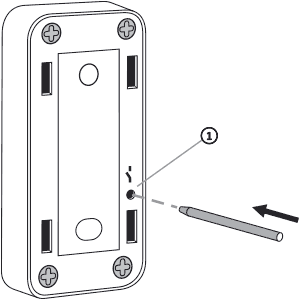
- Function button.
To activate pairing, use the included "stick" to hold down the button located on the back of the device, as shown in the diagram. Release the button when the LED lights up green. The pairing process should begin, and the LED should flash green. During this time (approx. 30 seconds), initiate pairing on the other device you want to pair with the Temperature Sensor.
Enabling pairing – AURATON Box gateway
Pairing the AURATON Temperature Sensor thermometer with the AURATON Box gateway can be done in two ways:
- On the AURATON Box gateway, briefly press the right "Auraton" pairing button (
 ) – the LED under the button will start flashing. Then, put the thermometer into pairing mode.
or
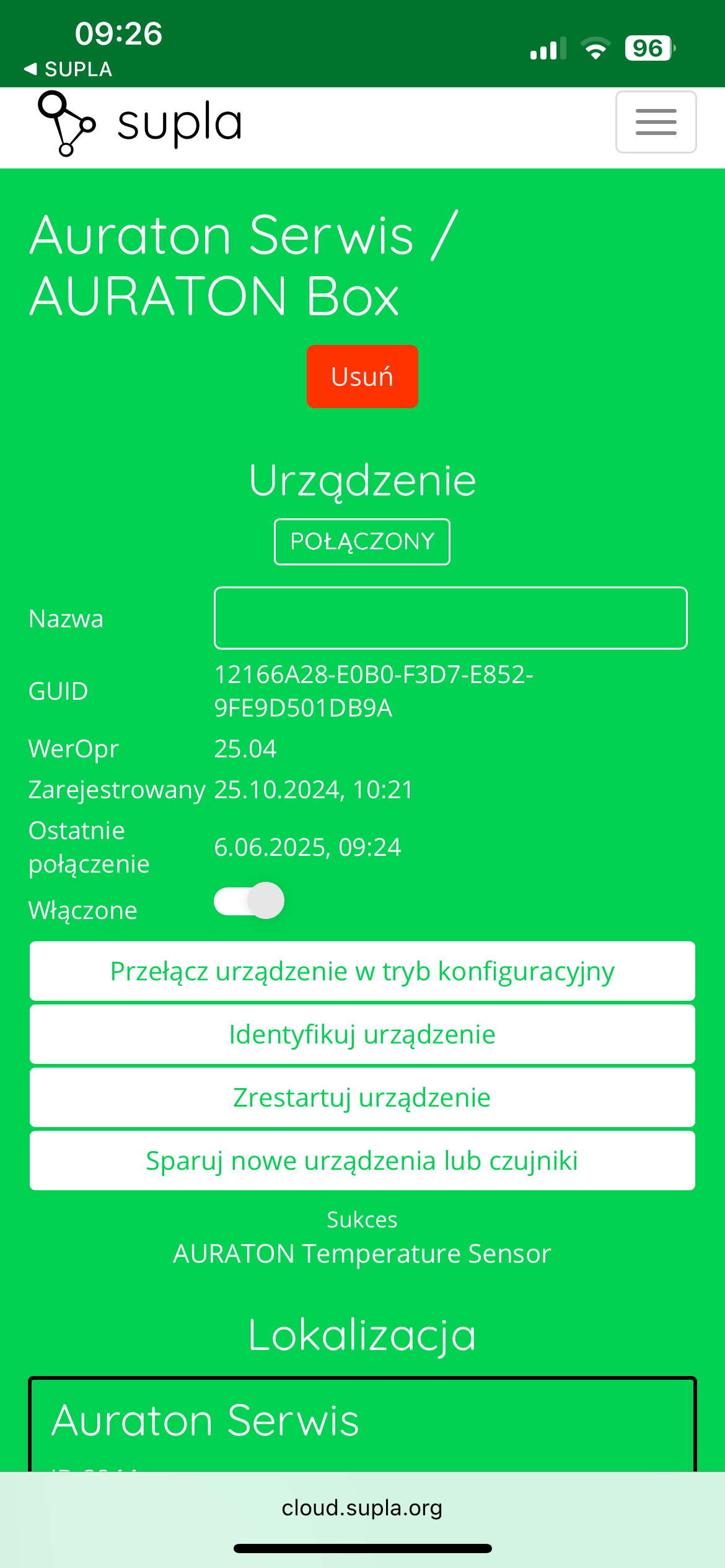
- In Supla Cloud, enter the AURATON Box gateway channel and press the "Pair new devices or sensors" button – the LED under the right "Auraton" pairing button will start flashing. Then, put the thermometer into pairing mode.
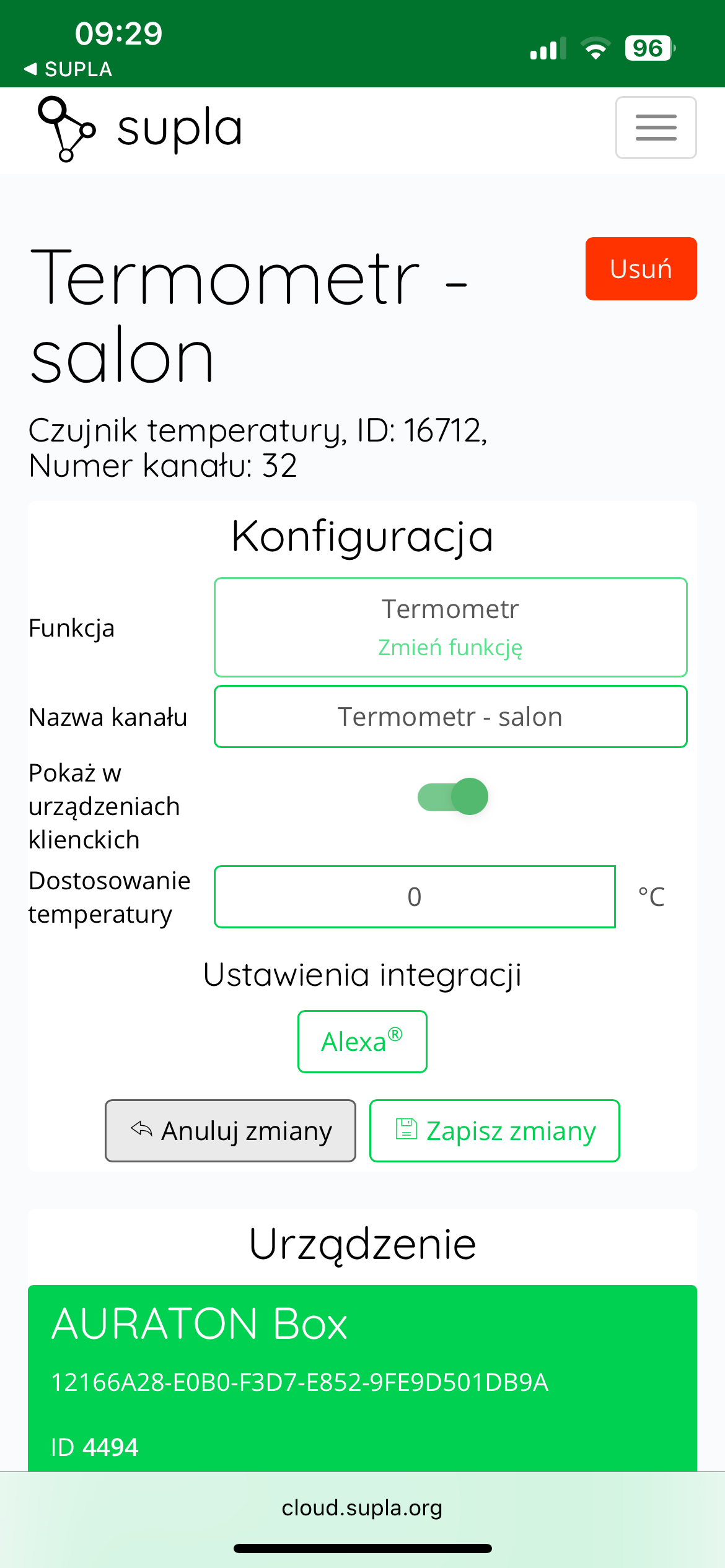
After pairing the AURATON Temperature Sensor thermometer with the Auraton Box gateway, it's recommended to immediately name it in its thermometer channel in Supla Cloud. By default, the device is named according to the model, e.g., "Thermometer," which can be confusing when using multiple devices of the same type. For easy identification, it's a good idea to give the thermometer a unique name immediately after pairing. To do this, edit the "Channel Name" and click " Save Changes " to confirm the changes.
Factory reset
To restore factory settings, hold down the function button during normal operation (approx. 5 seconds) until the LED lights red. Release the button and press it again within 3 seconds to confirm the operation. All information on the device will be cleared.
The device paired with the AURATON Box gateway must also be removed from SUPLA Cloud.
Restoring a previous software version
After performing an update or if it fails, it is possible to restore the previous version of the software.
To restore the previous software version, hold the button for at least 7 seconds until the LED turns orange, then release the button. Then, while the LED remains lit, hold the button again.
Cooperation with the SUPLA application
Cooperation of the AURATON Temperature Sensor Indoor thermometer with the AURATON Radiator Controller head in the SUPLA application
Goal: We have radiator heating in our home. We want AURATON Radiator Controller radiator heads to control the radiators based not on temperature measurements from their own sensors, but on assigned AURATON Temperature Sensor Indoor thermometers.
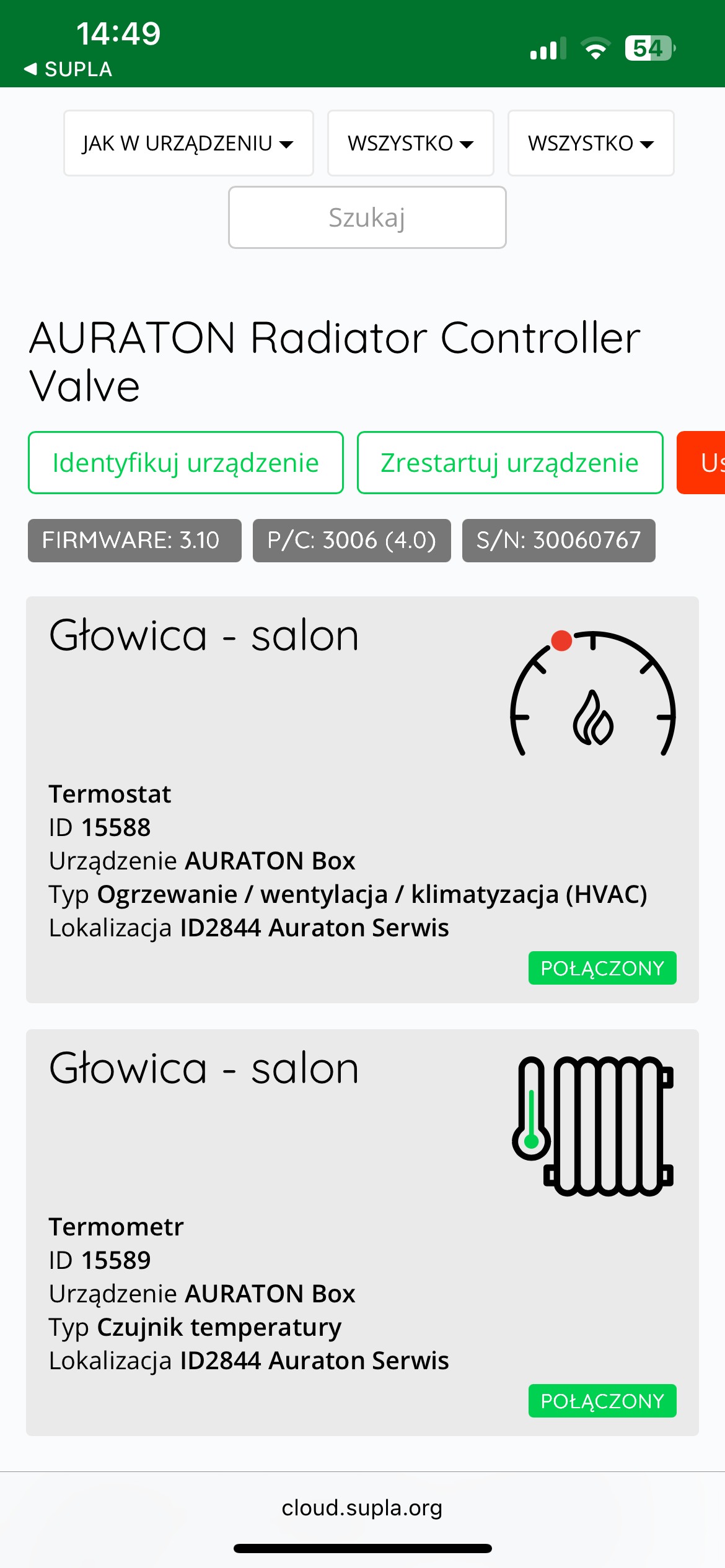
Solution: In the Supla app, select " Supla Cloud " from the Menu and log in. Then, enter the AURATON Box gateway channel. Then, enter the AURATON Radiator Controller thermostat channel (e.g., " Head - living room "Thermometer configuration" field , select the AURATON Temperature Sensor Indoor thermometer assigned to the given head as the "Main thermometer" (e.g., "Thermometer - living room" ). Finally, save everything by pressing the " Save changes" . Proceed similarly for each pair of devices: AURATON Radiator Controller radiator head + AURATON Temperature Sensor Indoor thermometer. If one AURATON Temperature Sensor Indoor thermometer is to measure the temperature to control more than one head in a room, then select the same thermometer as the "Main thermometer" in the thermostat channels of the other controlled heads.
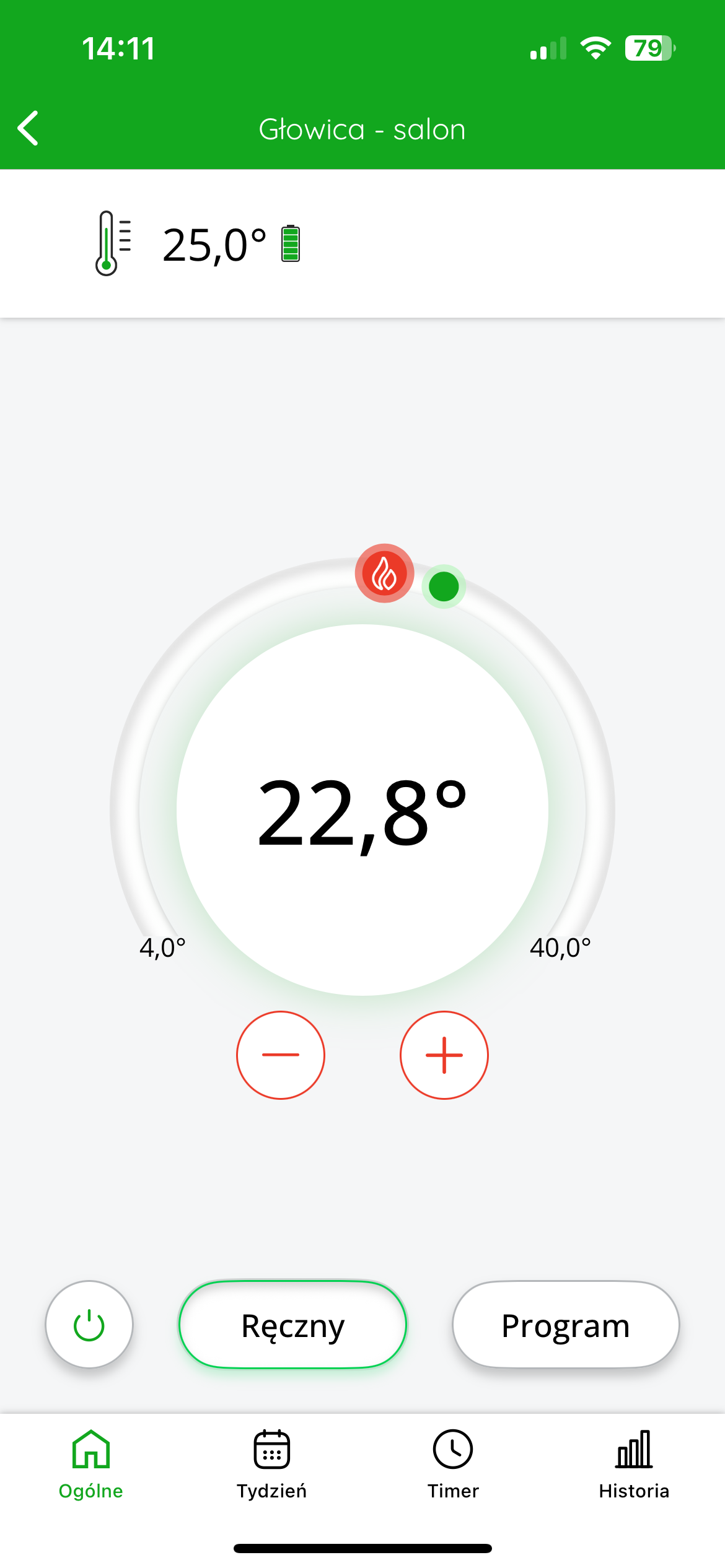
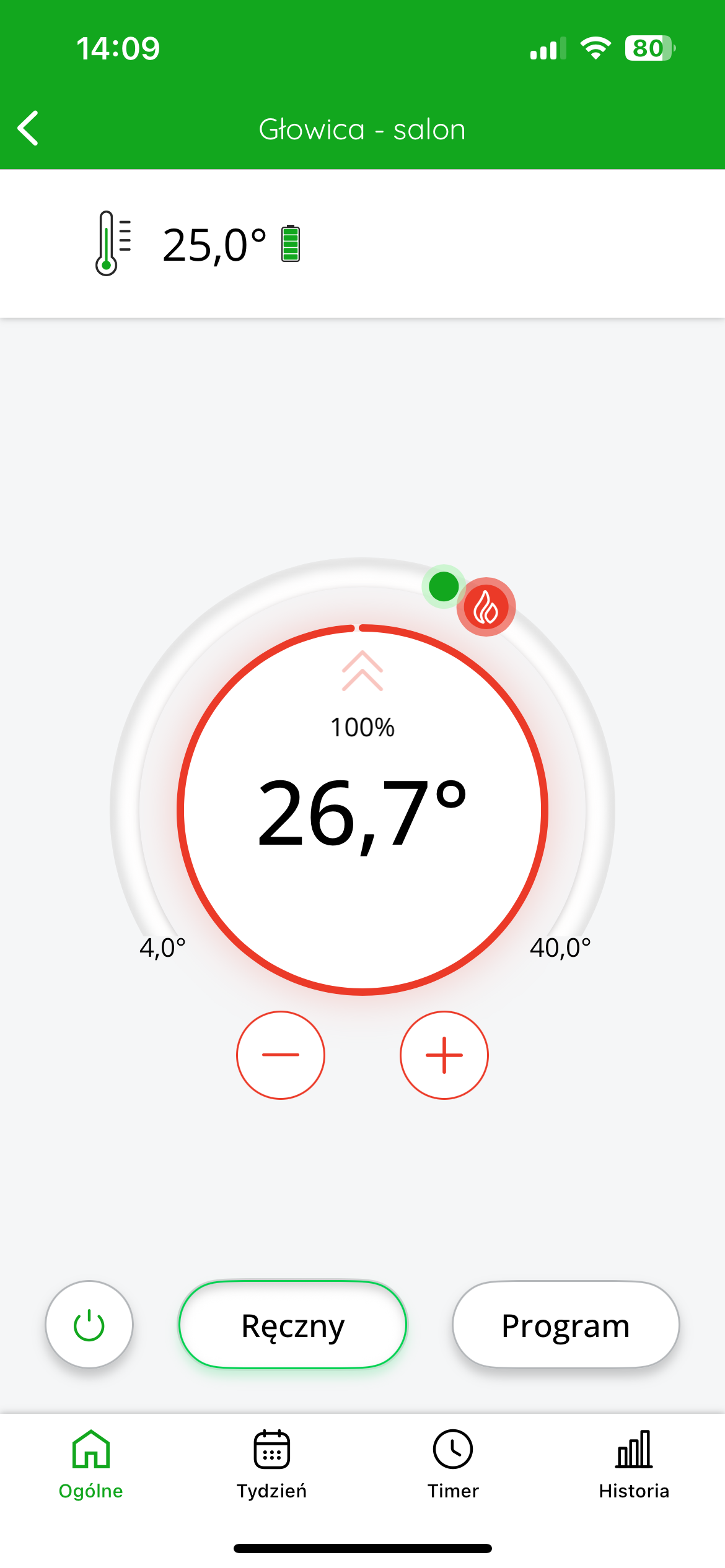
In the application, after entering a given head, we gain the ability to control the target temperature of the room in which the devices are located.
The top left of the display shows the temperature measured The target temperature is displayed in the center of the screen .
You can coarsely adjust the target temperature by moving the red slider. For more precise settings, use the "+" or "-" .
In the figure below on the left : (target) temperature measured temperature : 25°C; valve status: closed – no active heating; ring around the set temperature value : light – symbolizes no flow.
In the figure below on the right : (target) temperature measured temperature : 25°C; valve status: 100% open – heating; ring around the set temperature value : red – indicates that the valve is fully open and heating is active.
Cooperation of the AURATON Temperature Sensor Indoor thermometer with the AURATON Floor Heating Controller wireless underfloor heating strip in the SUPLA application
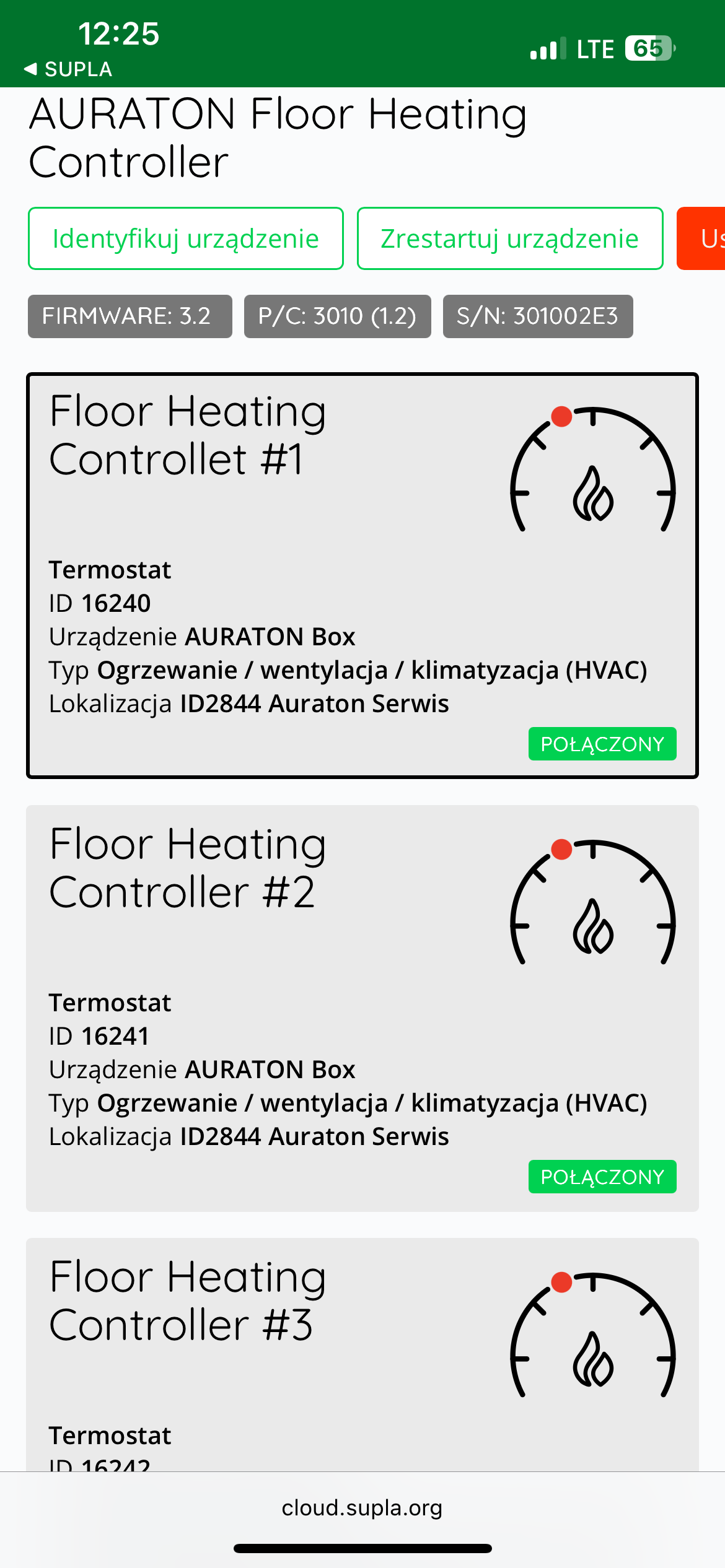
Goal: We have underfloor heating in our home. We want individual zones of the AURATON Floor Heating Controller to be controlled based on temperature measurements from assigned AURATON Temperature Sensor Indoor thermometers.
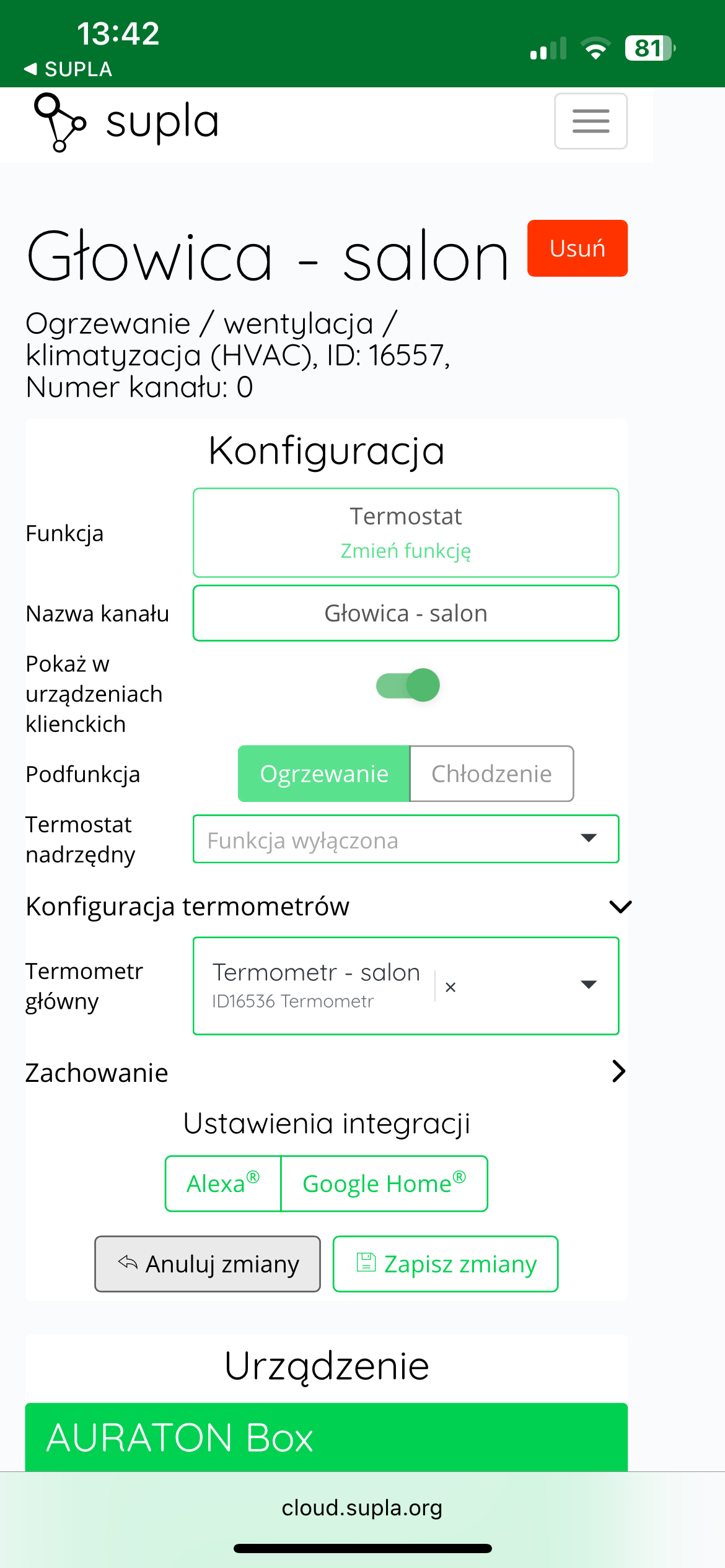
Solution: In the Supla app, select " Supla Cloud " from the menu and log in. Then, enter the AURATON Box gateway channel. Then, enter the thermostat channel of the given zone of the AURATON Floor Heating Controller. In the "Thermometer configuration" as the "Main thermometer" (e.g., "Thermometer – living room" ). Finally, save everything by pressing the " Save changes" . Proceed similarly for each pair of devices: AURATON Floor Heating Controller zone + AURATON Temperature Sensor Indoor thermometer. If one thermometer in a room is to measure the temperature to control more than one zone, then select the same thermometer as the "Main thermometer" in the thermostat channels of the remaining controlled zones of the AURATON Floor Heating Controller.
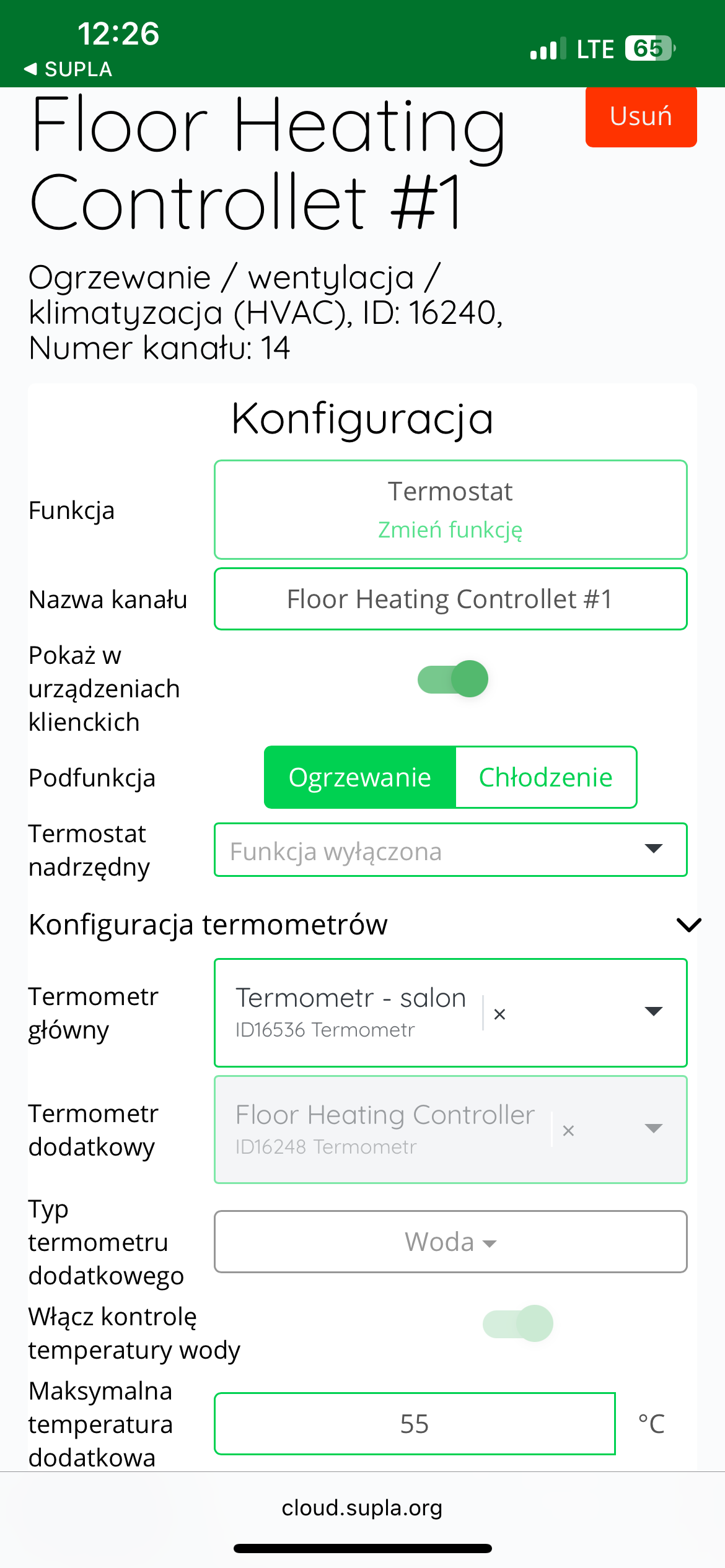
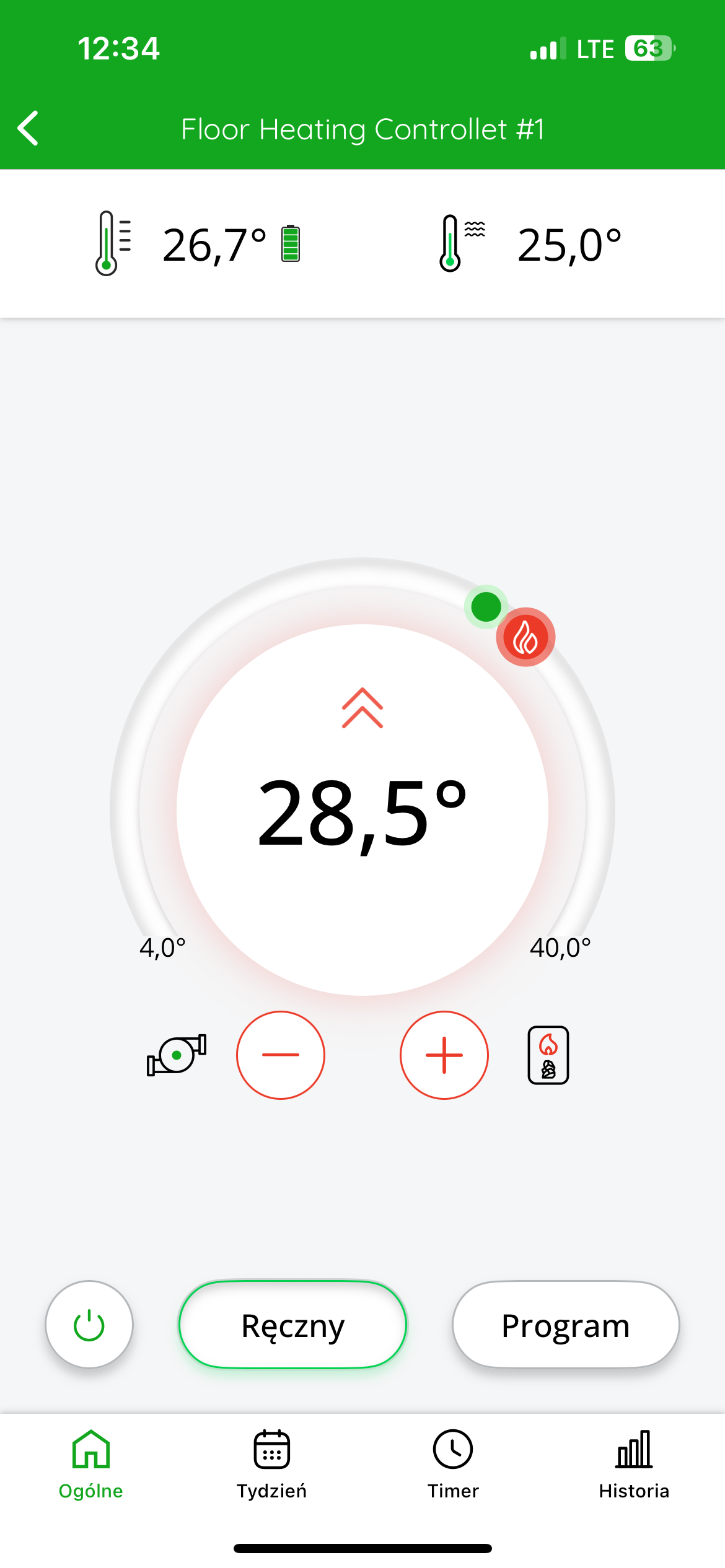
In the application, after entering a given zone of the strip, we gain the ability to control the target temperature of the room to which the devices are assigned.
At the top left of the display there is information about the temperature measured by the thermometer.
At the top of the display on the right side there is information about the temperature measured by an external temperature sensor optionally connected to the strip (see the chapter: "Working with an external temperature sensor" - AURATON Floor Heating Controller manual).
The target temperature is displayed in the center of the screen .
You can roughly adjust the target temperature by moving the red slider. For more precise settings, use the "+" or "-" buttons.
Cooperation of the AURATON Temperature Sensor Indoor thermometer with the AURATON Heater Controller in the SUPLA application
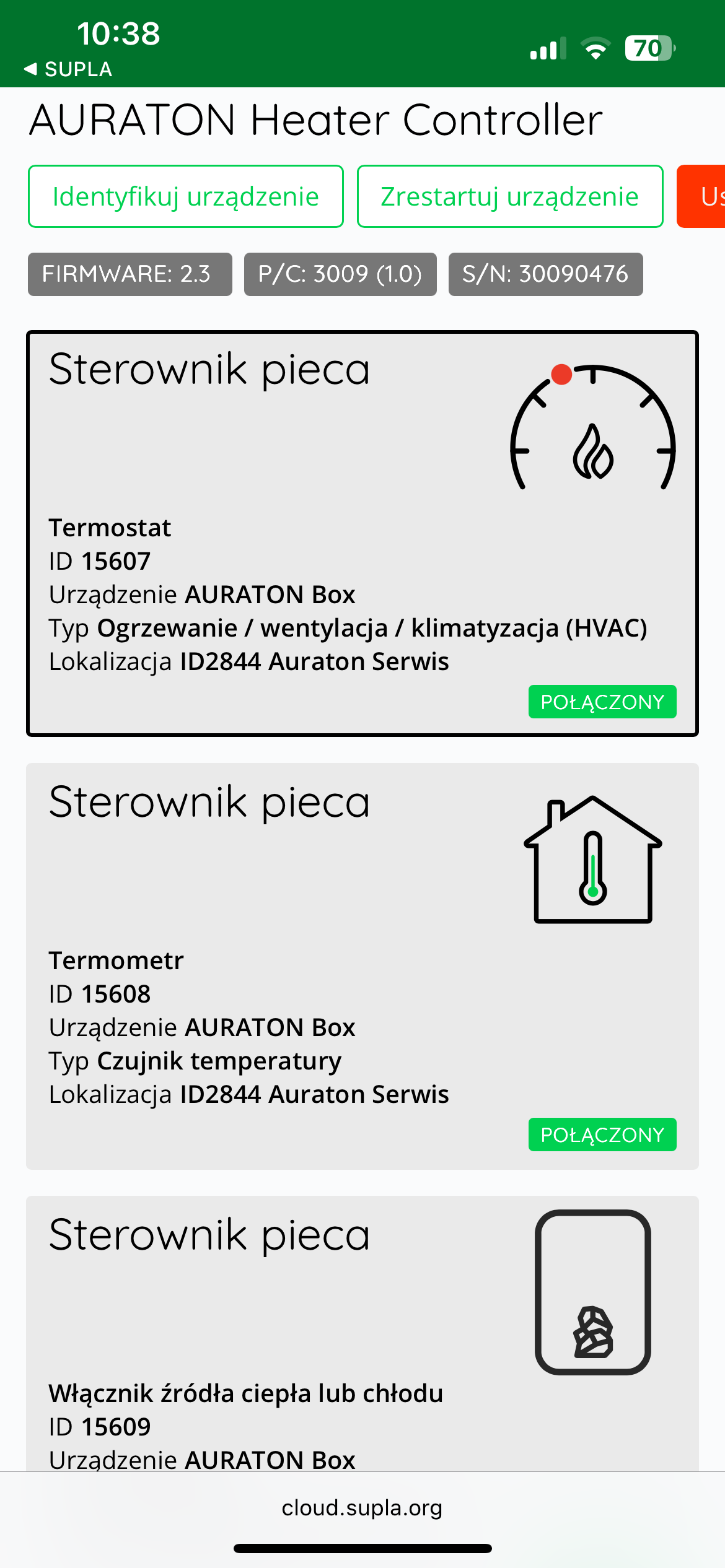
Goal: We have a simple smart home system consisting of an AURATON Temperature Sensor Indoor thermometer and an AURATON Heater Controller. We want the current (measured) temperature, based on which the controller turns the home's heating on and off, to be derived from the AURATON Temperature Sensor Indoor thermometer. When the current temperature on the AURATON Temperature Sensor Indoor thermometer drops below the target temperature by the hysteresis value, the AURATON Heater Controller will turn on the furnace. When the current temperature on the controller exceeds the target temperature by the hysteresis value, the controller will turn off the furnace.
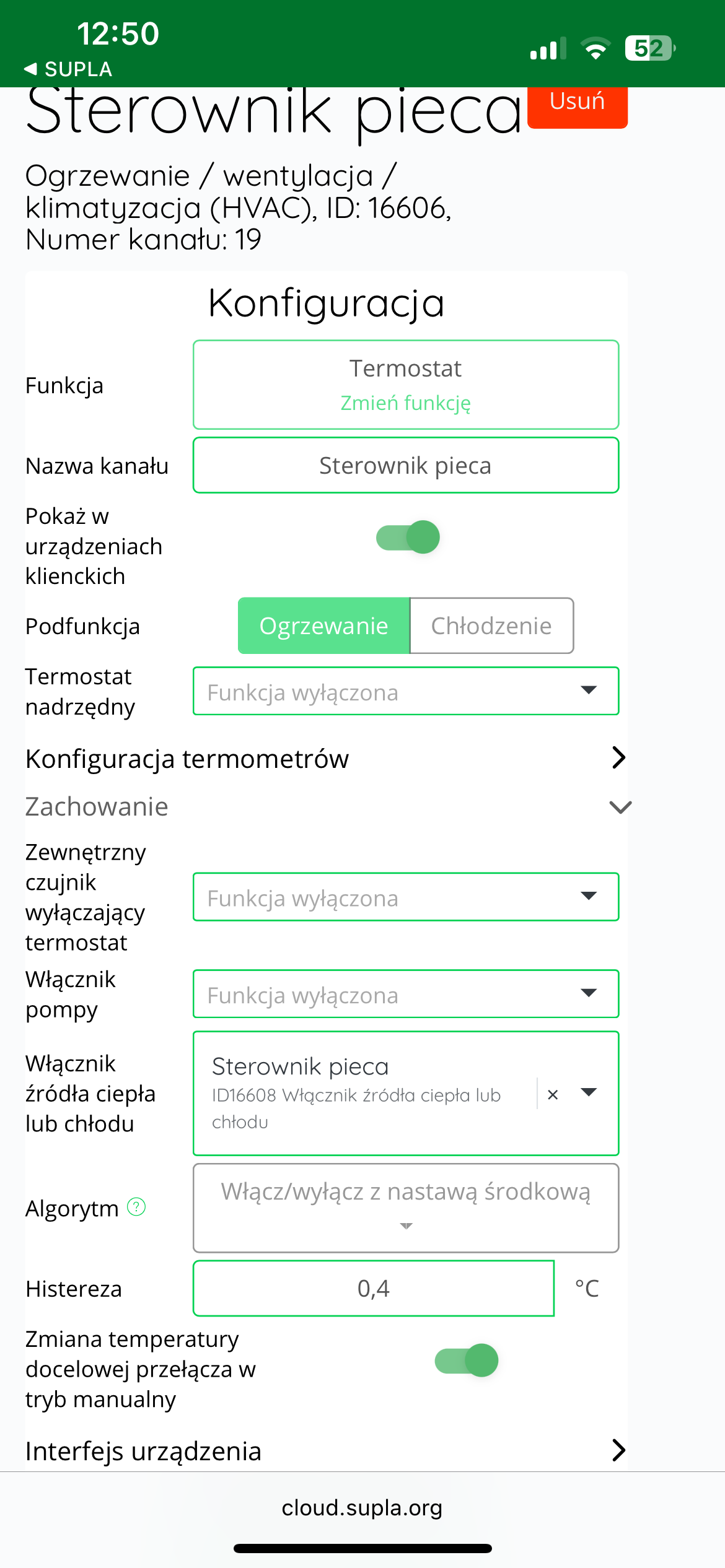
Solution: In the Supla app, select " Supla Cloud " from the menu and log in. Then, enter the AURATON Box gateway channel. Then, enter the heating device controller's thermostat channel (e.g., "Furnace controller"). In the "Thermometer configuration" , select your thermometer as the "Main thermometer" (e.g., "Thermometer – living room").
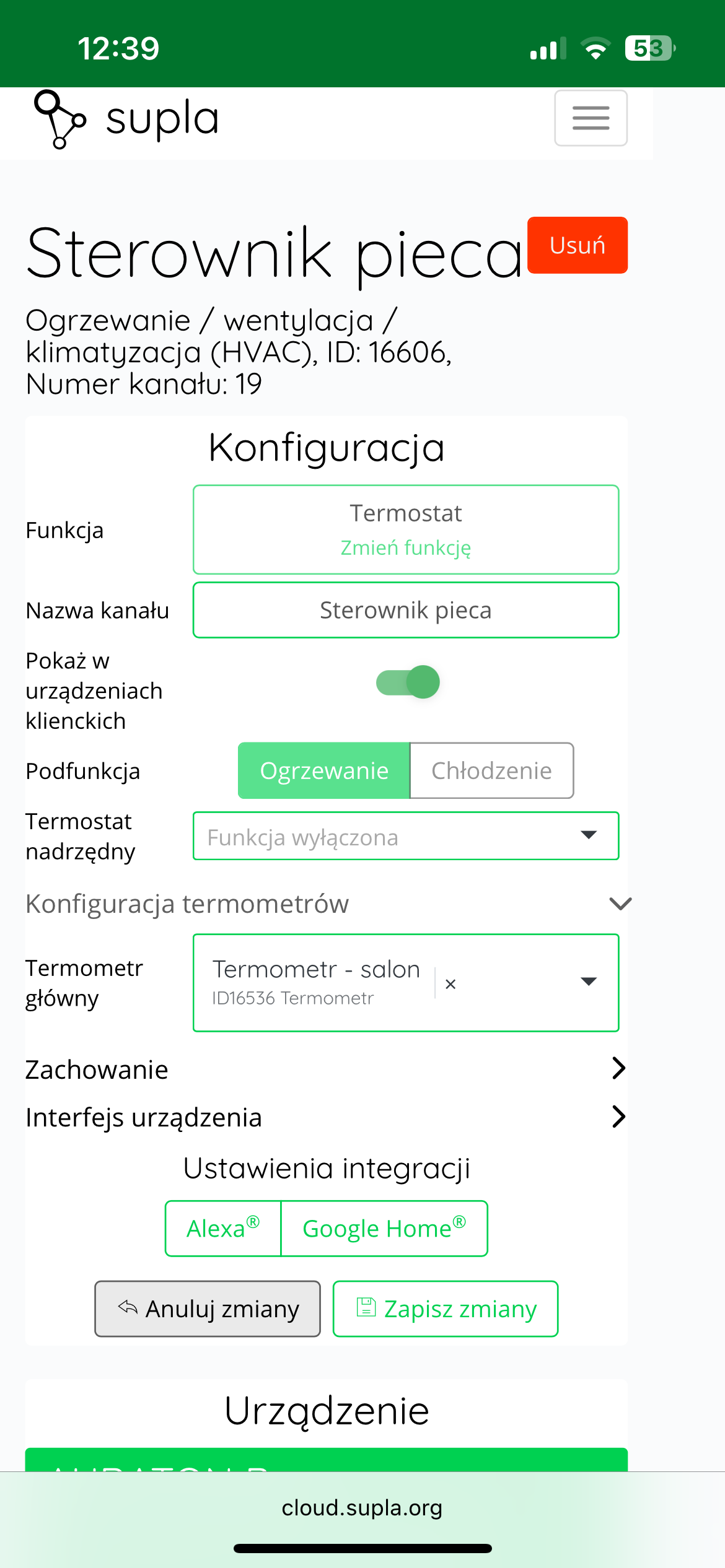
Additionally, in the "Behavior" , in the "Heating or cooling source switch" , select the device that will turn on the heating, i.e., the AURATON Heater Controller, here called "Furnace controller." Finally, save everything by pressing the " Save changes" .
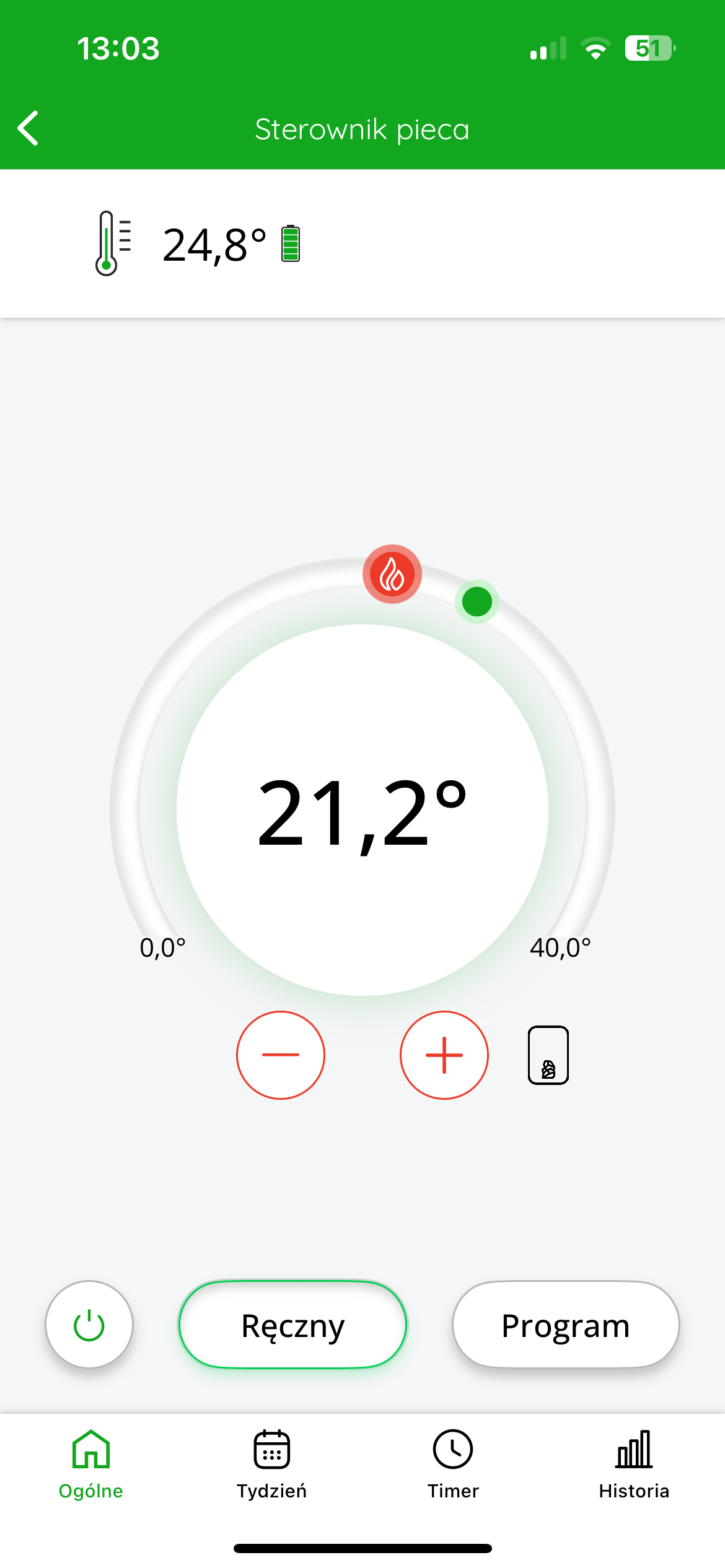
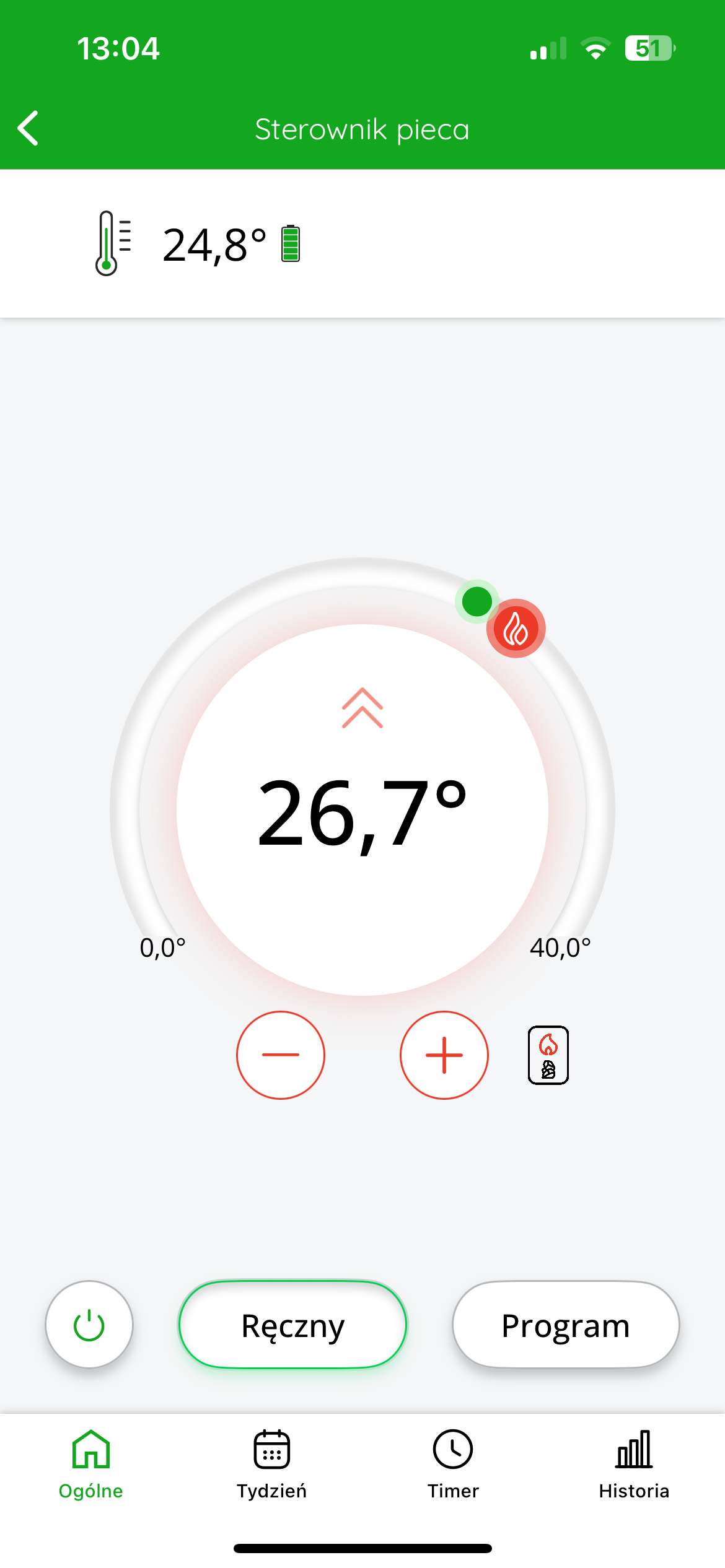
In the SUPLA app, the temperature measured by the thermometer is displayed at the top left of the screen. The target temperature is displayed in the center of the screen.
You can roughly adjust the target temperature by moving the red slider. For more precise settings, use the "+" or "-" buttons.
Other configuration settings in SUPLA Cloud
Calibration of temperature readings
If the temperature read by the internal sensor of the AURATON Temperature Sensor Indoor thermometer differs from the actual temperature in the room, the user can calibrate the temperature readings .
To adjust the reading, log in to SUPLA Cloud and then go to the AURATON Box gateway channel .
The next step is to enter AURATON Temperature Sensor thermometer channel
In the "Temperature Adjustment" , the user can enter a correction value between -3.0°C and +3.0°C , with an accuracy of 0.1°C . A positive value will raise the displayed temperature, while a negative value will lower it.
After making the appropriate correction, click the "Save changes" to confirm the setting.
Technical data
| temperature range : |
0 – 45 °C |
| Temperature measurement range: | 0 – 45 °C |
| Temperature measurement resolution: | ±0.1°C |
| Operating status check: | LED |
| Maximum number of paired devices | 3 |
| Power supply: | 3V CR2032 battery |
| Cooperation with the internet gateway | AURATON Box |
| Degree of protection: | IP20 |
| Frequency: | 868.150 MHz 868.450 MHz |
| signal strength : |
Up to 11 dBm |
| Radio receiver category: | 2 |
| Range of action: | In a typical building, with a standard wall construction – up to 30 m, in an open area – up to 300 m |
| Dimensions [mm]: | 75 x 35 x 14 |
Disposal of the device
O
Devices are marked with a crossed-out waste bin symbol. In accordance with European Directive 2012/19/EU and the Waste Electrical and Electronic Equipment Act, this marking indicates that this equipment, after its useful life, must not be disposed of with other household waste.
Users are obligated to dispose of it at a collection point for used electrical and electronic equipment.
LARS Andrzej Szymański hereby declares that the Temperature Sensor radio equipment type complies with Directives 2014/53/EU and 2011/65/EU. The full text of the EU declaration of conformity is available in the download section below.
Manufacturer's address and contact details:
LARS, ul. Świerkowa 14
64-320 Niepruszewo
www.auraton.pl